
Your Snapdragon® Laptop buying guide

What makes a Snapdragon/Arm PC different?
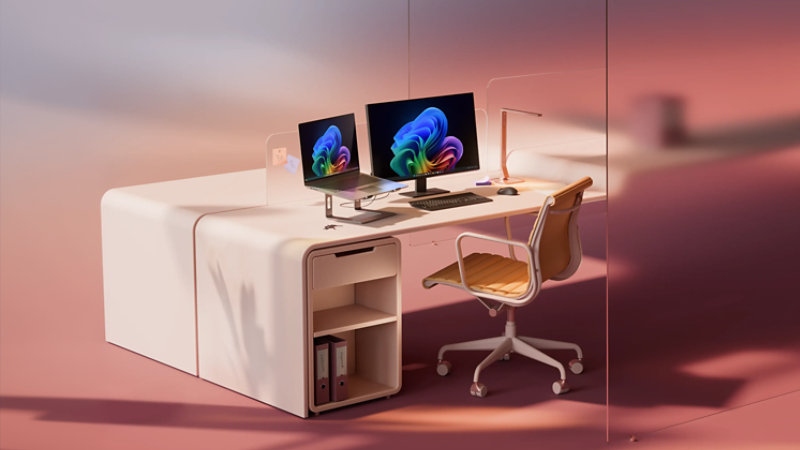
What Snapdragon/Arm brings to Windows
Stay powered, responsive, and connected throughout your day.
- All-day battery life¹
Up to 27 hours of local video playback, so you can leave the charger behind.¹
- Cool and quiet
Select models run fanless—no noise, no heat, just focus.
- AI that works while you do
Quick wake, connected syncing, and AI running in the background without slowing you down.
Find your Snapdragon® fit

X Plus (8-10)
- Everyday productivity and multitasking
- Working across a few apps at once
- Photo editing and light video work
- Projects, research, and presentations

X Elite (12)
- Demanding workloads and creative projects
- Heavy multitasking across apps
- Photo and video editing
- Large datasets, dashboards, and analysis
Snapdragon: good, better, best
RAM
- 16GB is good
Covers the basics: browsing, email, streaming, and light multitasking.
- 24-32GB is better
Apps stay responsive while AI-powered tools run in the background to keep multitasking smooth.
- 64GB is best
Handles advanced AI experiences, creative projects, and heavy multitasking with ease.
Storage
- 256GB SSD is good
Covers the basics: browsing, email, streaming, and light multitasking.
- 512GB SSD is better
Apps stay responsive, multitasking feels seamless while AI-powered tools run in the background.
- 1TB+ SSD is best
Handles advanced AI experiences, creative projects, and heavy multitasking with ease.
Display
See more detail, richer color, and smoother visuals, whether you’re working, creating, or streaming.
- IPS FHD+ is good
Clear, sharp visuals for everyday tasks like browsing, email, documents, and video calls.
- OLED 2.5K is better
Deeper contrast, richer color, and sharper detail. Photos and videos look noticeably better.
- AMOLED 4K+ is best
Stunning clarity and vibrant color with precise detail. Ideal for the best visual experience possible.
Battery
How far you can go without a charger
- 15-18 hours
Gets you through a full workday of email, browsing, streaming, and light multitasking with confidence.
- 20-22 hours
All‑day and beyond. Great for heavier multitasking, long meetings, and extended use away from an outlet.
- 27+ hours
Lasts through travel days, heavy workloads, and AI-powered tasks with fewer trips to the charger.¹
Snapdragon® PCs for every kind of workday

For remote & hybrid work
- Quiet, secure, and ready for your full workday.
- Fanless design on select models
- All-day battery life¹
- Ready between meetings
- Built-in security for work from home
- Works with Microsoft 365 and Teams


For mobile professionals
- Goes where you go—meetings, airports, client sites.
- All-day battery life¹
- Built-in 5G/LTE on select models
- Instant-on for presentations
- Quiet operation during calls
- Microsoft Pluton security built in

For business professionals
- Easy to manage and ready to scale with your team.
- Enterprise-grade security built in
- All-day battery life¹
- Quiet operation
- Wakes up when you do
- Ready for Microsoft 365
Snapdragon® laptops for every kind of work
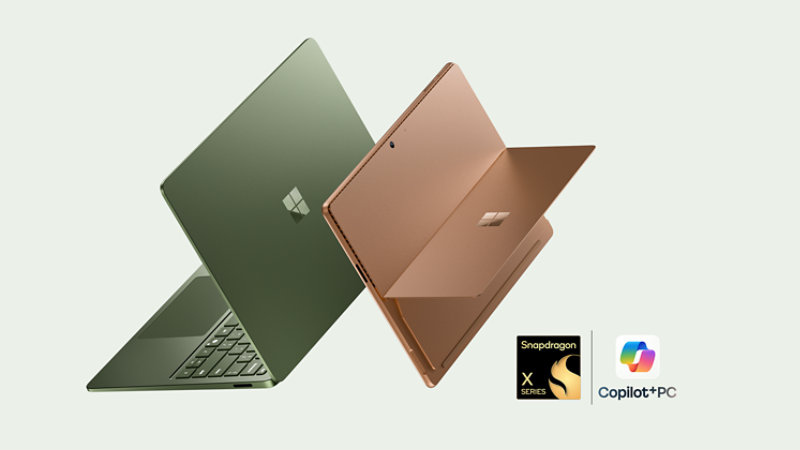
Meet the latest Surface PCs
Will my apps and devices work?
-
Native support (Optimized performance)
Microsoft Edge runs natively on Arm and delivers the same feature set as x86 PCs, including extensions, sync, DevTools, and enterprise policies. Because it’s compiled specifically for Arm, performance is snappy and power‑efficient, with excellent battery life during long browsing sessions.
Hardware acceleration, video playback, and web-based productivity apps work as expected. For most users, Edge on an Arm PC feels indistinguishable from—or faster than—traditional Windows laptops.
-
Native support (Optimized performance)
Microsoft Teams is fully optimized for Arm, with native support for video calls, meetings, screen sharing, background effects, and Microsoft 365 integration. CPU and AI workloads such as noise suppression and background blur take advantage of Arm hardware acceleration.
USB webcams, headsets, and microphones generally work without issue using built-in Windows drivers. As with any platform, advanced features tied to vendor-specific drivers may vary, but Teams itself runs smoothly and reliably on Arm PCs.
-
Native support (Optimized performance)
Microsoft Copilot is designed to run natively on Arm PCs, integrating tightly with Windows and taking advantage of on-device AI acceleration where available. Everyday interactions like search, assistance, and content summarization feel fast and responsive.
Some Copilot features may leverage cloud processing depending on availability and region, but Arm compatibility does not limit functionality. Copilot experiences on Arm PCs are feature-complete and aligned with x86 systems.
-
Native support (Optimized performance)
Excel runs natively on Arm with full support for formulas, charts, PivotTables, Power Query, and Microsoft 365 collaboration features. Day-to-day spreadsheet work performs extremely well, even with large files.
The majority of built-in features work identically to x86 systems. However, legacy VBA macros or third-party Excel add-ins compiled only for x86 may require updates from their developers or may not function as expected.
-
Native support (Optimized performance)
Spotify offers a native Arm app that delivers fast startup times, smooth playback, offline downloads, and full library management. Audio performance is efficient and well-suited for extended listening sessions on battery power.
Playback devices such as Bluetooth headphones and speakers are fully supported. Advanced features tied to third-party audio enhancements depend on driver availability, but Spotify itself works seamlessly on Arm PCs.
-
Native support (Optimized performance)
Adobe Photoshop runs natively on Arm and supports core features including layers, masks, filters, and GPU acceleration. Everyday photo editing, retouching, and content creation tasks perform smoothly, with excellent power efficiency.
Some plug-ins, extensions, or legacy third-party add -ons may still require x86 versions and might not be compatible unless updated by the developer. For most modern Photoshop workflows, Arm PCs provide strong performance and reliability.
-
Emulated (Good performance)
Many older Windows apps that don’t yet offer Arm-native versions can still run using built-in x86/x64 emulation. Office tools, utilities, and business apps typically work well, with performance suitable for everyday use.Apps that rely on low-level drivers, deprecated APIs, or custom hardware integrations may not function correctly. If you depend on specialized or mission-critical legacy software, verifying compatibility with the app vendor is strongly recommended before choosing an Arm PC.

How Prism works
Gaming on Snapdragon: what to expect

Cloud gaming

Casual/Indie

Emulated hits
Peripherals checklist
-
Widely supported
Snapdragon® devices generally work well with external monitors and displays when connected via HDMI or DisplayPort. Most users can expect reliable video output for common productivity and presentation scenarios.
Support may vary depending on the device, cable, or adapter used. For best results, confirm that your display and adapter meet the recommended specifications for your device.
-
Widely supported
Many USB-C docks and hubs function as expected on Snapdragon® devices, enabling access to external displays, USB accessories, and charging through a single connection.
Some advanced dock features, such as proprietary display drivers or custom firmware, may require additional validation. If you rely on device-specific dock features, check the manufacturer’s compatibility details.
-
Fully supported
Bluetooth adapters and peripherals are fully supported on Snapdragon® devices and typically work without additional configuration.
Common Bluetooth accessories such as keyboards, mice, headphones, and adapters should pair and function normally using built-in system support.
-
Mostly supported, check manufacturer for Arm drivers
Many popular printer models from major manufacturers are compatible with Snapdragon® devices. Basic printing functionality is often available out of the box.
However, some printers may require Arm-specific drivers or software. Check the printer manufacturer’s website to confirm driver availability before purchasing or deploying.
-
Mostly supported
Most standard USB webcams work with Snapdragon® devices, especially models that use class-compliant USB video drivers.
Advanced webcam features—such as manufacturer specific software, custom controls, or bundled applications—may not be fully supported. Basic video capture is typically available.
-
Driver support varies by manufacturer
Some USB audio interfaces work on Snapdragon® devices, but compatibility depends heavily on driver availability.
Before purchasing or connecting an audio interface, confirm that the manufacturer provides Arm-compatible drivers or explicitly supports Snapdragon® or Windows on Arm.
-
Verify with vendor before purchasing
Specialized lab, diagnostic, or medical devices often rely on custom drivers or proprietary software that may not be available on Snapdragon® platforms.
Always verify compatibility directly with the device vendor before purchasing or deploying these devices in a Snapdragon® environment.
Switching from x86 to Windows on Arm
Here's what to check before making the change to a Snapdragon® PC.
-
File backups
Use Windows Backup to save files and settings so nothing is lost during the move.
-
Arm compatibility
Review key apps to ensure they run natively or are supported through emulation.
-
Peripheral drivers
Confirm printers, accessories, and other peripherals have Arm ready drivers.

-
Settings
Use Windows Backup to save files and settings so nothing is lost during the move.
-
Apps
Review key apps to ensure they run natively or are supported through emulation.
-
Cloud fallback
Confirm printers, accessories, and other peripherals have Arm ready drivers.
Copilot+ PC: Your new superpower
Click to Do
- Powered by the NPU
On-device AI identifies text and images on your screen, then suggests actions to help you search, summarize, rewrite, or edit content while keeping your PC responsive.
- Works offline and online²
Screen analysis and select actions run locally. Actions like web search or Ask Copilot require internet, and content is sent only when you choose an online action.


Improved Windows search
- Powered by the NPU
Semantic indexing uses on-device AI to understand meaning, helping you find documents and images by describing what you remember instead of the exact filename.
- Works offline and online²
Search indexed files stored on your PC without internet. An internet connection may be needed to find cloud files stored in OneDrive.
Live captions
- Powered by the NPU
Speech processing runs on the NPU so your PC stays responsive. Live captions make spoken content easier to follow across your apps and meetings.
- Works offline²
Captions run on your device and work even without an internet connection.³ Audio is processed on your PC to help protect your privacy while delivering real-time captions.


Windows Studio Effects
- Powered by the NPU
Video and audio enhancements run on the NPU, freeing the rest of your PC for everything else.² Supported across AI PCs, bringing smarter camera and audio features to everyday apps.
- Works offline²
Select effects work on-device, even without an internet connection.² Processed on your PC to help protect your privacy across calls and meetings.
Microsoft Copilot
- Runs in the cloud
Processes requests using cloud-based AI models, with powerful capabilities. An active connection is needed to send requests and receive AI-generated responses.
- Online only
Because it runs in the cloud, Microsoft Copilot works when you’re connected to the internet. Your requests are handled securely with up-to-date AI models.

AI PCs for your business
Deploying AI PCs at scale? Here’s why IT teams are making the move.

Security first

Scalable

Field ready

Find the Windows PC that’s right for you
Frequently asked questions
-
A Snapdragon laptop is a Windows PC powered by a Qualcomm Snapdragon® processor. Its system-on-a-chip design combines CPU, GPU, NPU, and connectivity capabilities to support responsive performance, power efficiency, on-device AI, and long battery life. Available features and performance vary by processor and device.
-
Qualcomm Snapdragon® X Elite is a processor platform for premium Windows laptops. It combines a high-performance CPU, integrated graphics, and a dedicated NPU for demanding multitasking, creative work, and supported on-device AI experiences. Device performance and battery life vary by model, configuration, settings, and use.
-
Qualcomm Snapdragon® X Plus is a processor platform for thin, efficient Windows laptops. It combines CPU, integrated graphics, and a dedicated NPU to support everyday productivity, multitasking, connectivity, and on-device AI experiences. Available core counts, performance, and device features vary by configuration.
-
Qualcomm Snapdragon® processors use Arm-based architecture and emphasize power efficiency, connectivity, and integrated AI processing. Intel Core and AMD Ryzen processors use x86 architecture and may offer different performance and software compatibility. The right choice depends on your apps, workload, battery needs, and device configuration.
-
Choose between Qualcomm Snapdragon® and Intel based on how you use your PC. Snapdragon can suit mobile users who prioritize power efficiency, long battery life, and on-device AI. Intel can suit workloads that benefit from broad x86 software and peripheral compatibility. Check your essential apps, accessories, and performance requirements first.
-
Snapdragon laptops run Windows 11 and support many popular apps, including Microsoft 365 and major browsers. Apps may run as native Arm versions or through Windows emulation, so performance and feature support can vary. Before buying, check the developer's compatibility details for specialized software, games, drivers, peripherals, and plug-ins.
-
Snapdragon laptops can support everyday work such as email, web browsing, Microsoft 365, video calls, and multitasking while providing efficient unplugged performance and long battery life. For specialized business software, drivers, security tools, or peripherals, confirm Windows on Arm compatibility and the device's memory and storage requirements.
-
Snapdragon laptops can be a strong option for students who value portability, long battery life, quick responsiveness, video calls, browsing, and productivity apps. Before choosing one, students should confirm compatibility with required course software, testing tools, lab applications, accessories, and any games they plan to use.
-
Qualcomm Snapdragon® X Series laptops include a dedicated NPU for supported on-device AI workloads such as video-call effects, captions, creative tools, and productivity features. More demanding AI development or content-generation tasks may also depend on CPU, GPU, memory, and software support, so compare the full configuration.
-
Choose a Snapdragon laptop by matching the processor and configuration to your workload. Qualcomm Snapdragon® X Plus can suit everyday productivity and mobile use, while X Elite can support more demanding multitasking and creative work. Also compare app compatibility, memory, storage, display, ports, battery life, size, and price.
-
Qualcomm Snapdragon® processors are available in select Surface Pro and Surface Laptop Copilot+ PC configurations. Options vary by edition, size, market, and availability, with different processor tiers for everyday productivity or more demanding workloads. Review current Surface configurations in the Microsoft Store before choosing.
-
Surface devices with Qualcomm Snapdragon® processors emphasize power efficiency, long battery life, and on-device AI, while Intel Core Ultra configurations may better support workflows that depend on broad x86 app, driver, or peripheral compatibility. Compare the specific Surface model, apps, performance needs, and mobility priorities.
- [1] Battery life varies significantly based on device, settings, usage, and other factors. See claims and disclosures for details. For testing methodology, see Windows Performance Lab.
- [2] Some AI features require an internet connection. Copilot+ PC experiences vary by device and region and may require updates continuing to roll out; timing varies. See copilot plus pcs.
- [3] Translation for video and audio subtitles into English from 40+ languages and from 27 languages into Chinese (Simplified). Live Captions processes audio on your device.
- [4] Recall (preview) is optimized for select languages: English, Chinese (Simplified), French, German, Japanese, and Spanish. Content-based and storage limitations apply. Recall requires a Copilot+ PC. See copilot plus pcs.
- [5] Based on local video playback test. Battery life varies significantly with settings, usage, ambient lighting, and other factors. See Surface battery testing and estimated performance - Microsoft Support.