HAX Toolkit
Design Library
Guidelines
Design Library
Design Patterns
Workbook
Playbook
About
Share ideas
Microsoft Security
Azure
Dynamics 365
Microsoft 365
Microsoft Teams
Windows 365
Microsoft AI
Azure Space
Mixed reality
Microsoft HoloLens
Microsoft Viva
Quantum computing
Sustainability
Education
Automotive
Financial services
Government
Healthcare
Manufacturing
Retail
Find a partner
Become a partner
Partner Network
Microsoft Marketplace
Software companies
Blog
Microsoft Advertising
Developer Center
Documentation
Events
Licensing
Microsoft Learn
Microsoft Research
View Sitemap
HAX Design Library
Interactive collection of the 18 Guidelines for Human-AI Interaction, with design patterns for applying them and examples.
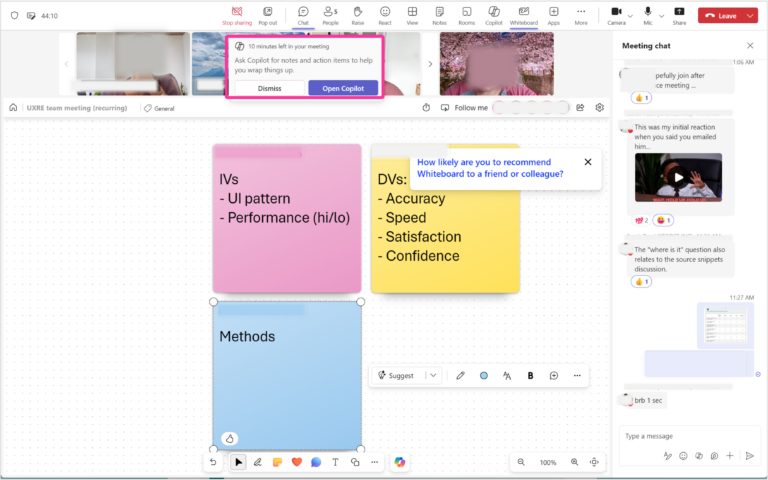
Guideline 3 > Example
Copilot in Teams | G3: Time services based on context
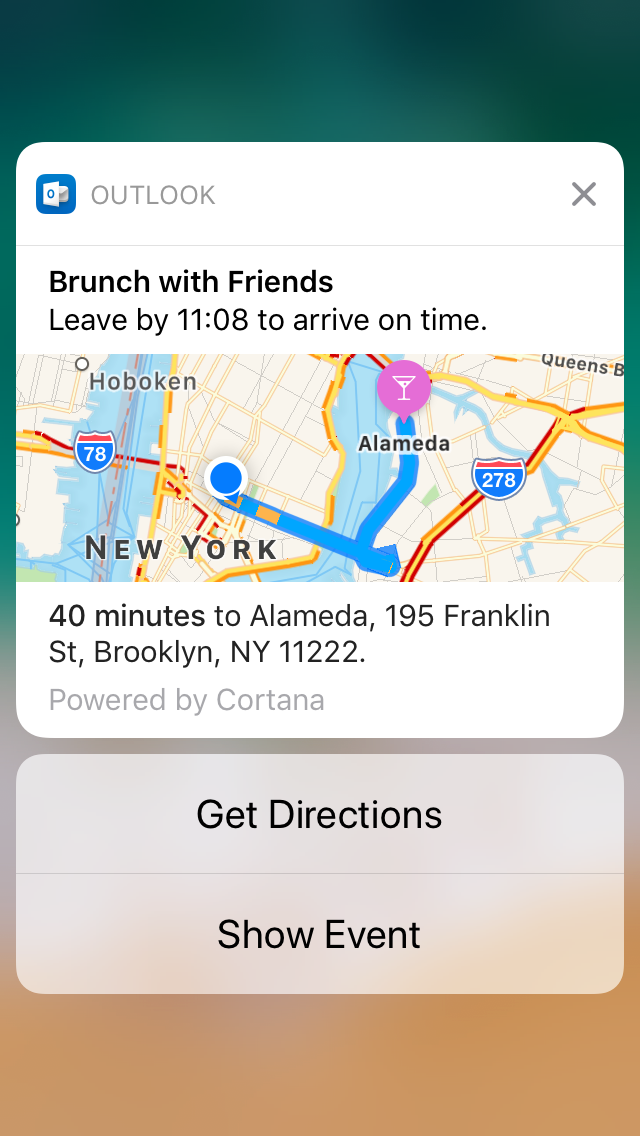
Guideline 3 > Example
Outlook | G3: Time services based on context
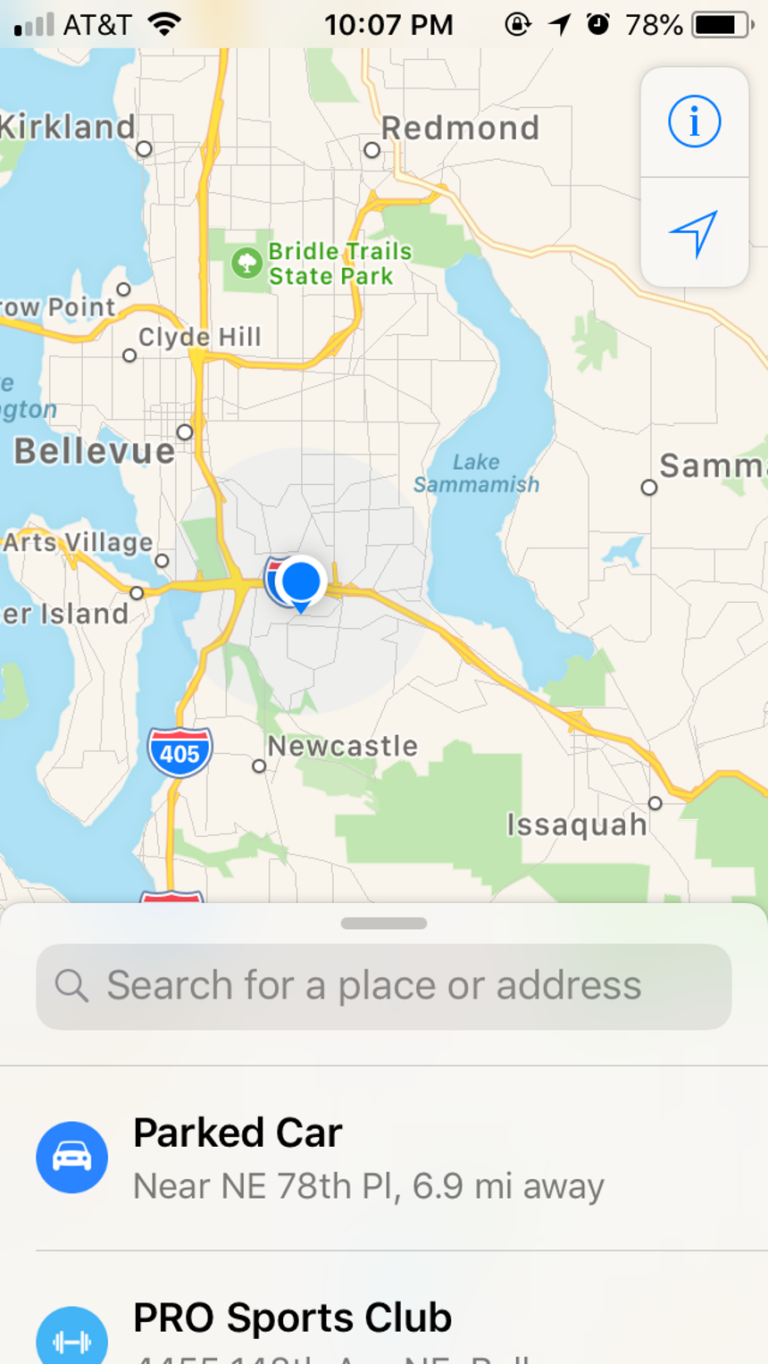
Guideline 3 > Example
Apple Maps | G3: Time services based on context
Guideline 4 > Example
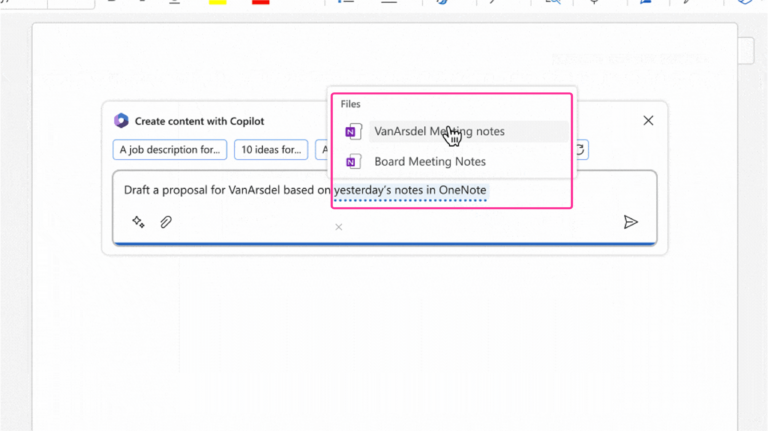
Copilot in Word | G4: Show contextually relevant information
Guideline 4 > Example
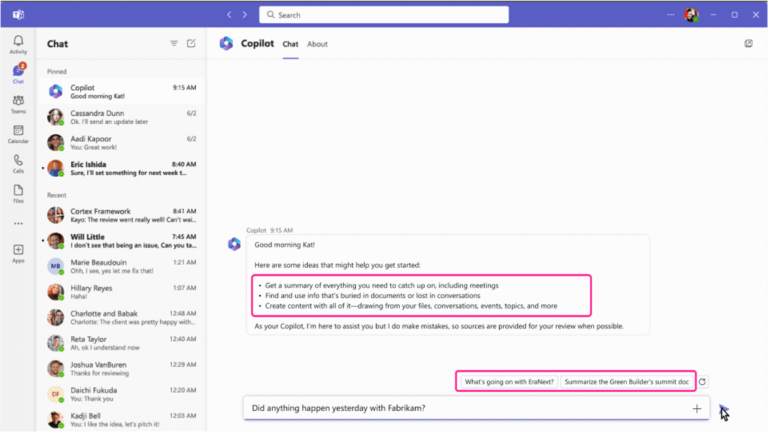
Business Chat | G4: Show contextually relevant information
Guideline 4 > Example
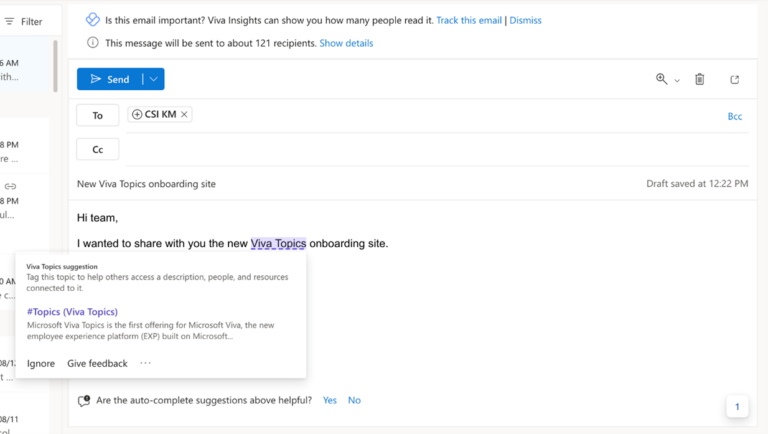
Viva Topics – G4: Show contextually relevant information
Guideline 4 > Example
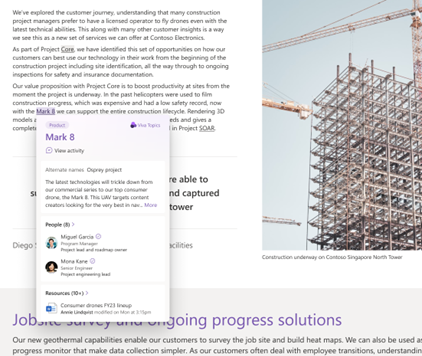
Viva Topics | G4: Show contextually relevant information
Guideline 4 > Example
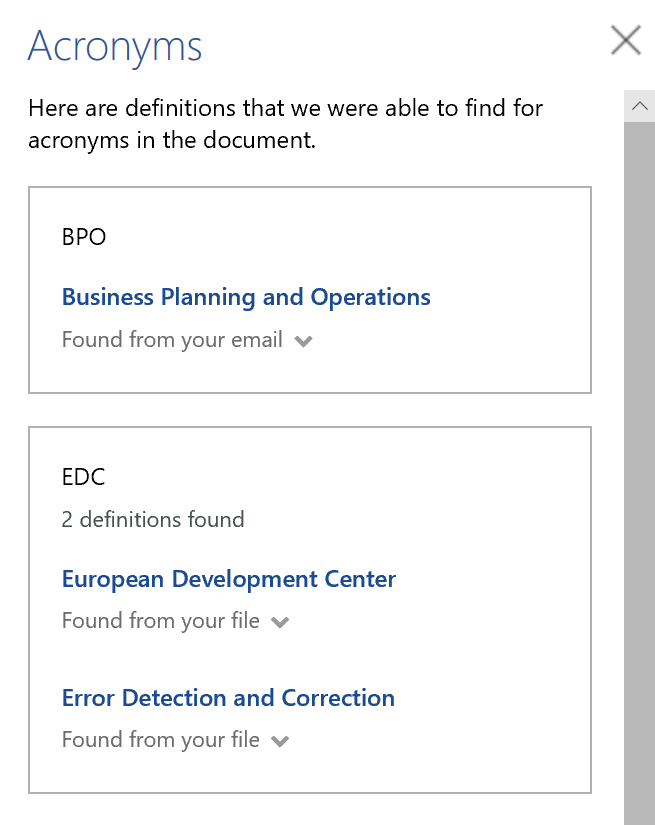
Microsoft Word | G4: Show contextually relevant information
Guideline 4 > Example
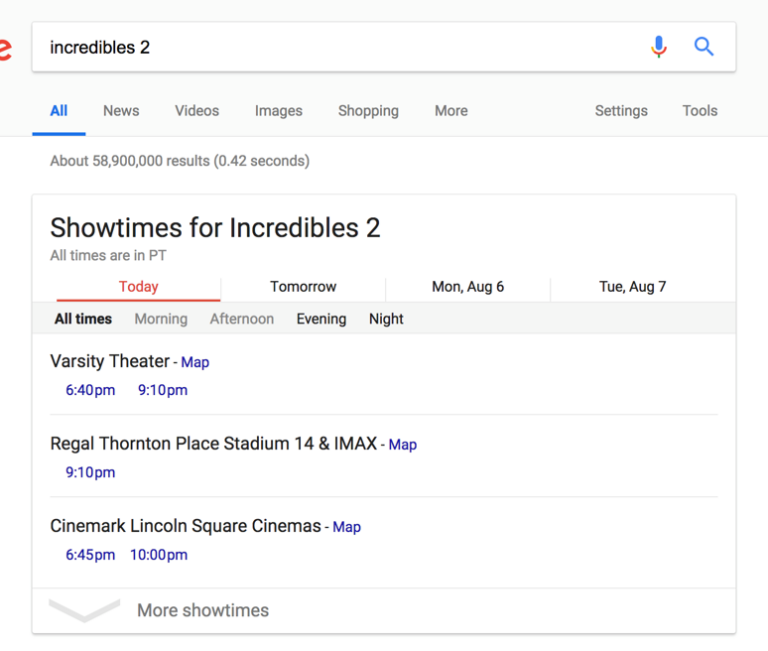
Google Search | G4: Show contextually relevant information
Guideline 4 > Example
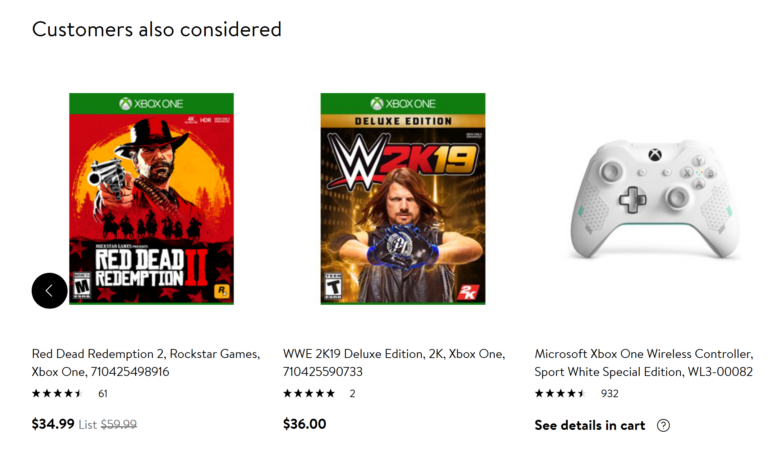
Walmart.com | G4: Show contextually relevant information
Guideline 5 > Example
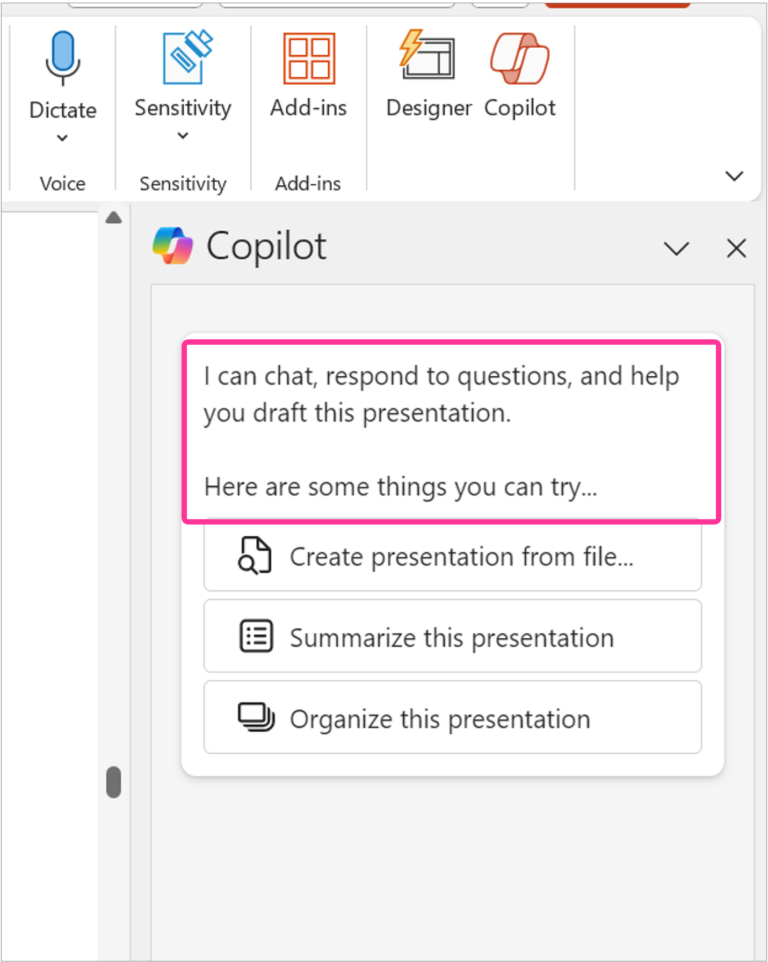
Copilot in PowerPoint | G5: Match relevant social norms
Guideline 5 > Example
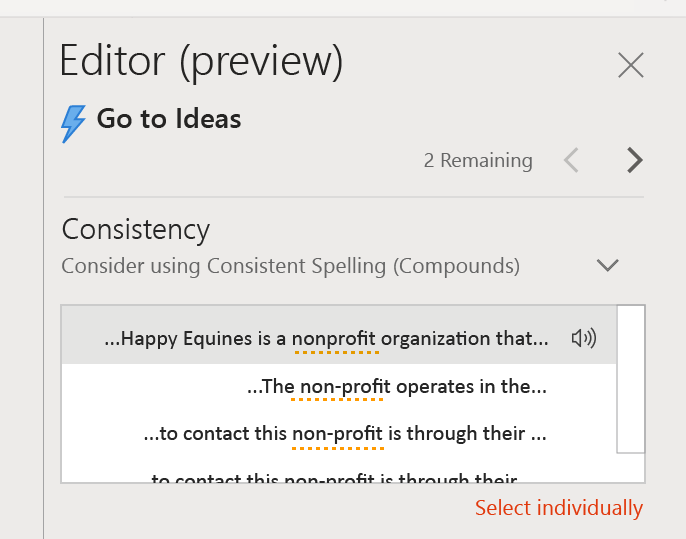
Microsoft Word | G5: Match relevant social norms
Guideline 5 > Example
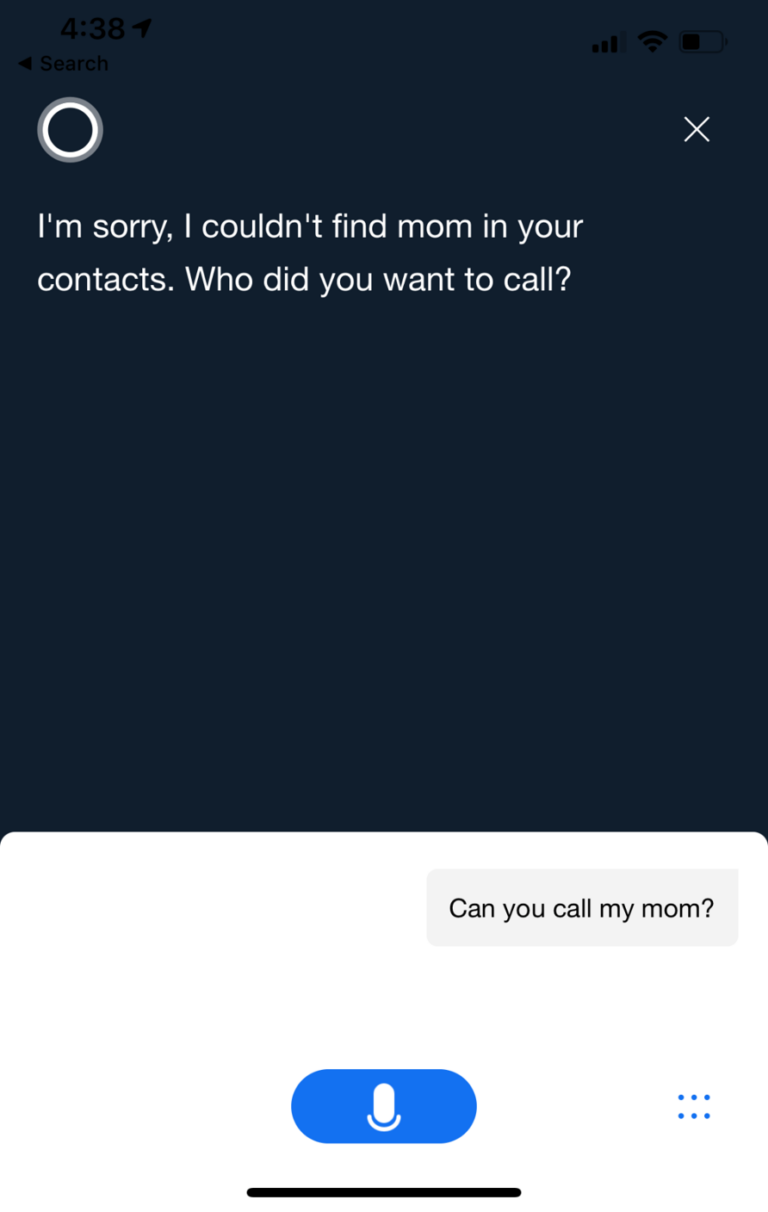
Cortana | G5: Match relevant social norms
Guideline 5 > Example
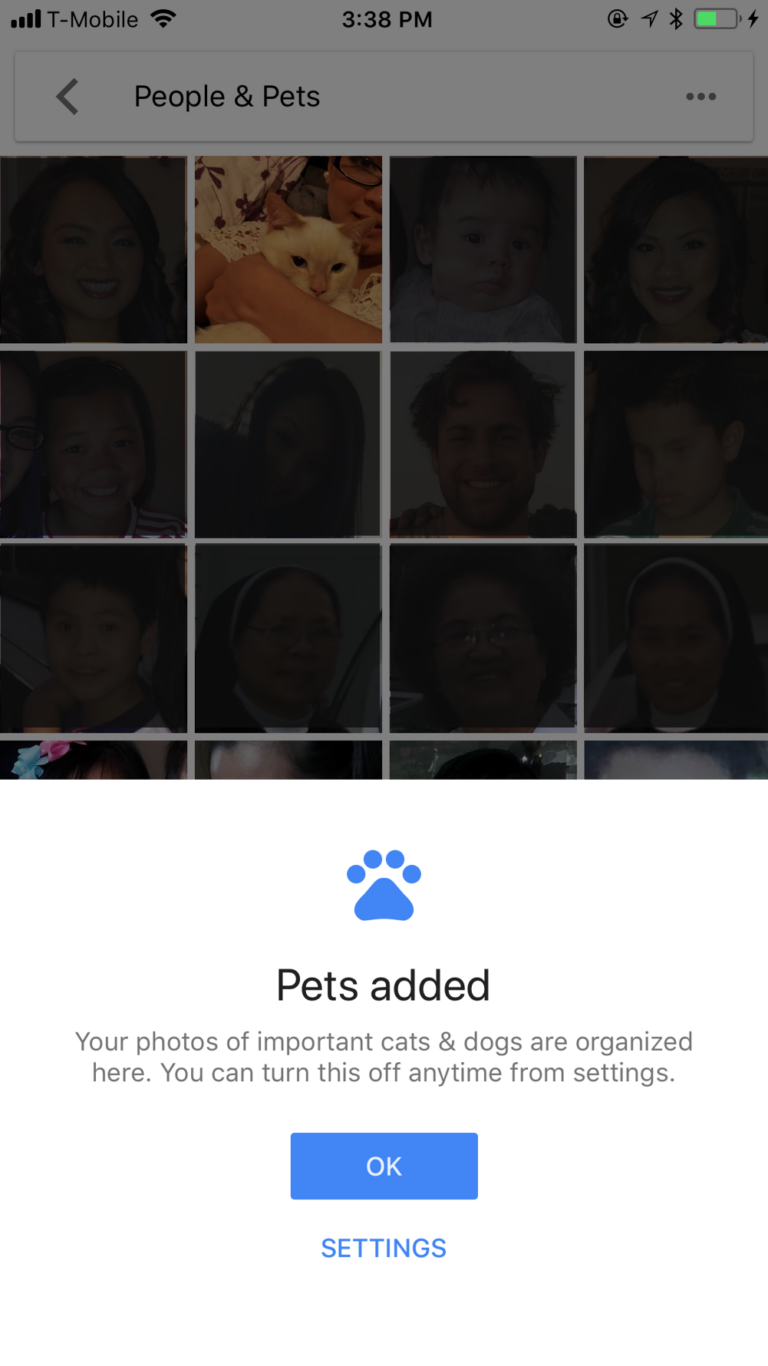
Google Photos | G5: Match relevant social norms
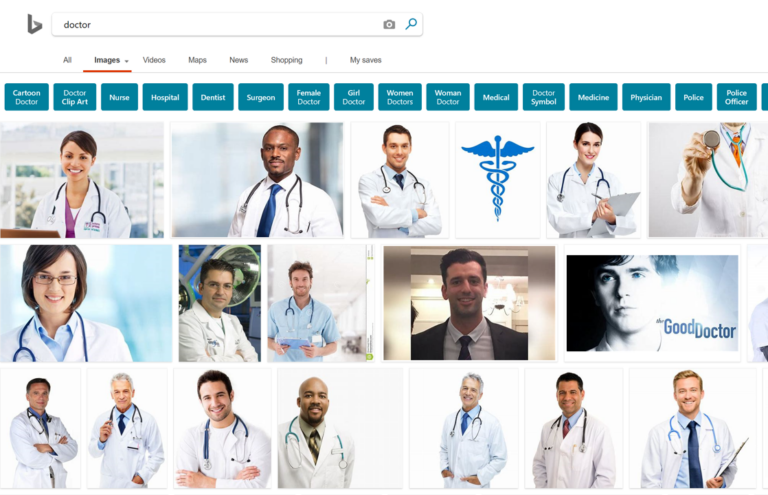
Guideline 6 > Example
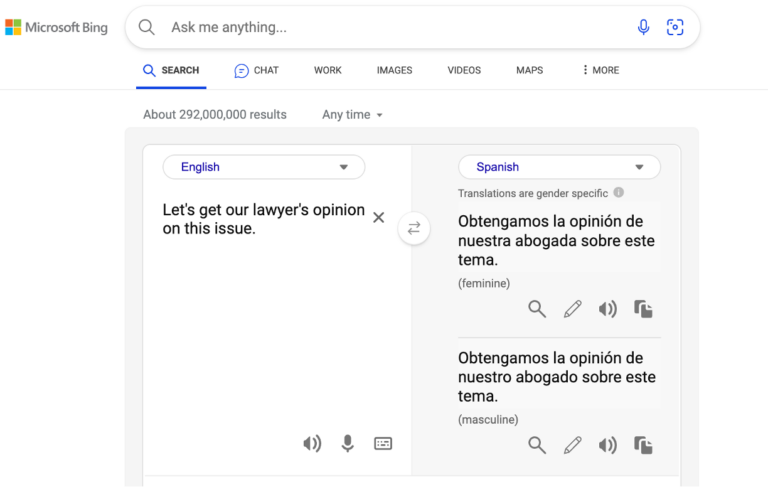
Bing Search | G6: Mitigate social biases
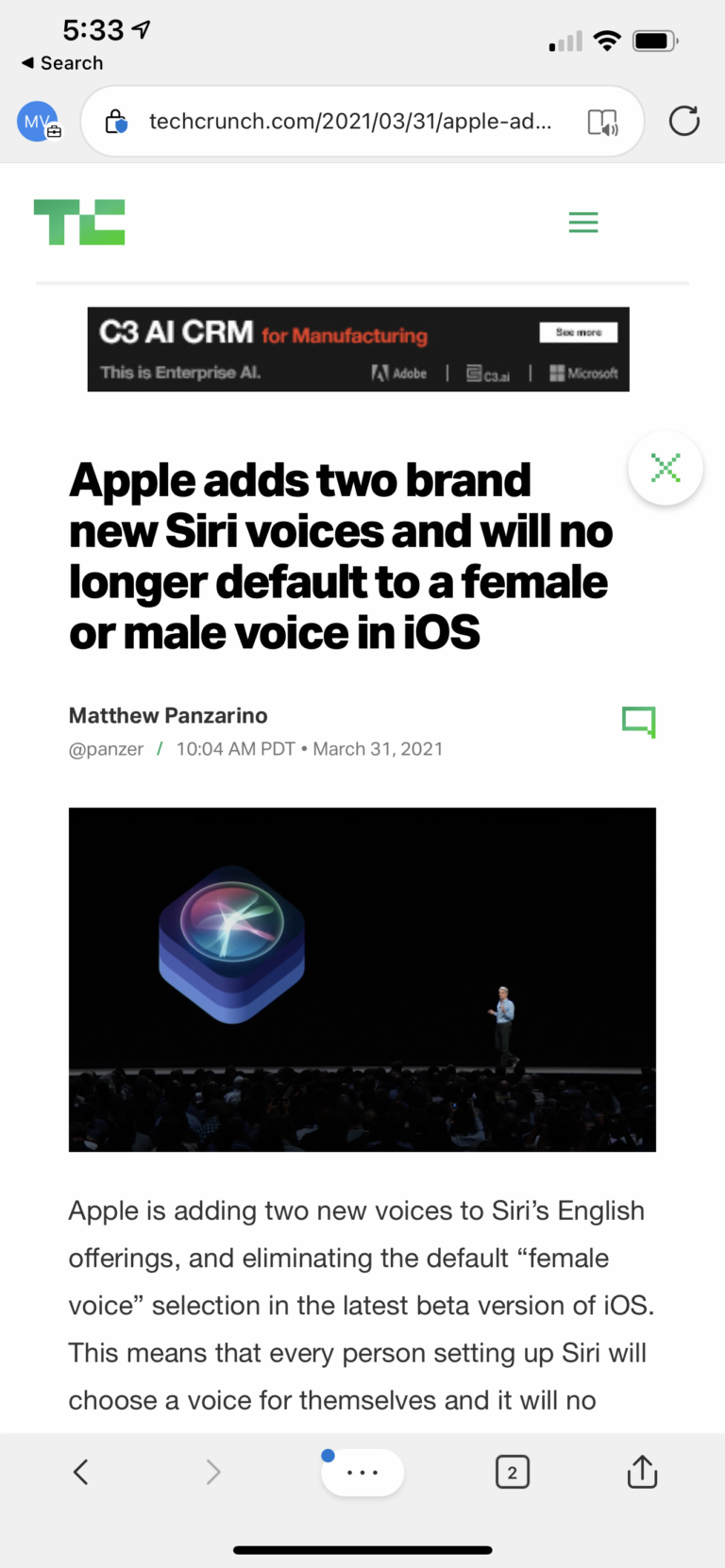
Guideline 6 > Example
Siri | G6: Mitigate social biases
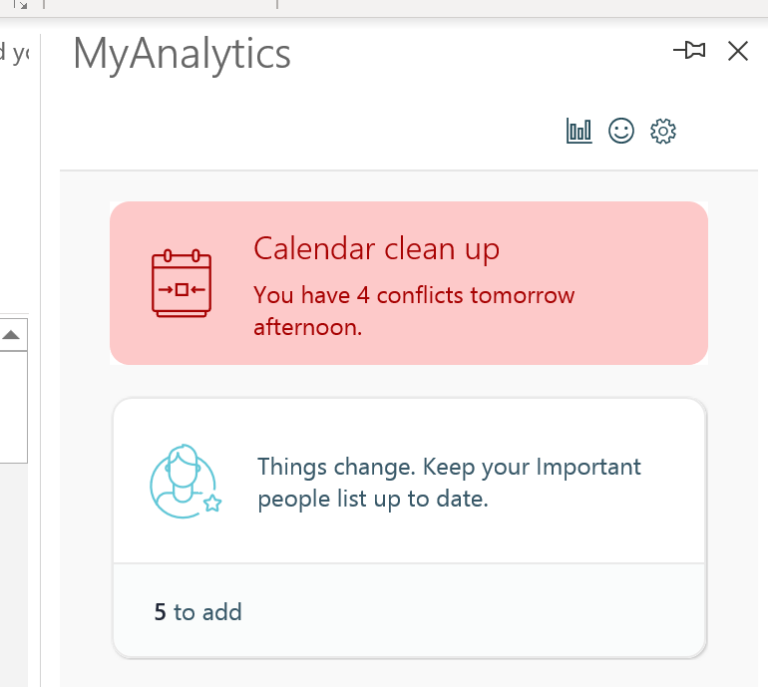
Guideline 6 > Example
MyAnalytics | G6: Mitigate social biases
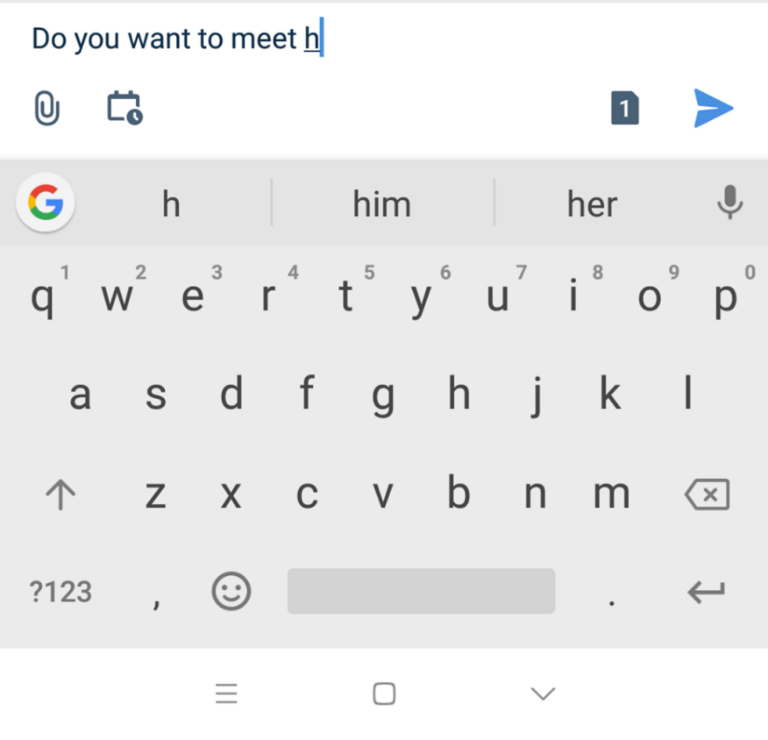
Guideline 6 > Example
Android | G6: Mitigate social biases
Guideline 6 > Example
Bing Search | G6: Mitigate social biases
Guideline 7 > Example
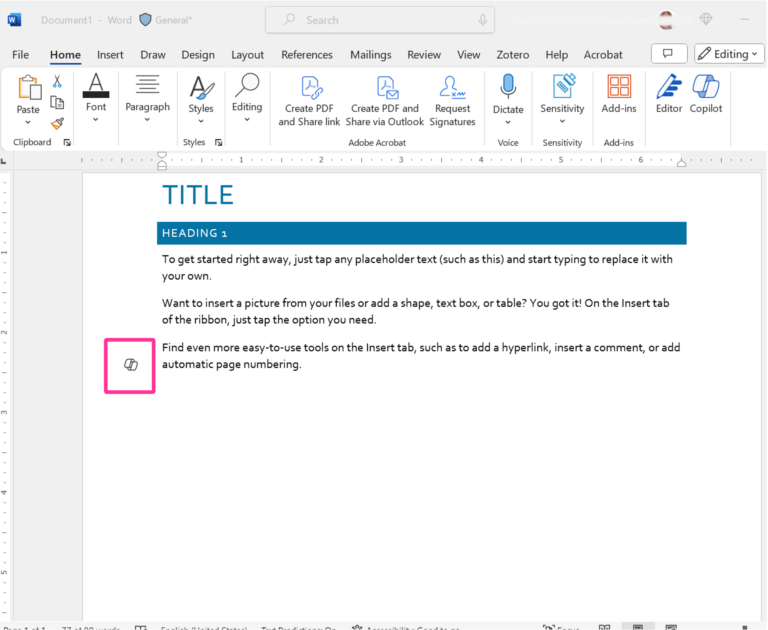
Copilot in Word | G7: Support efficient invocation
Guideline 7 > Example
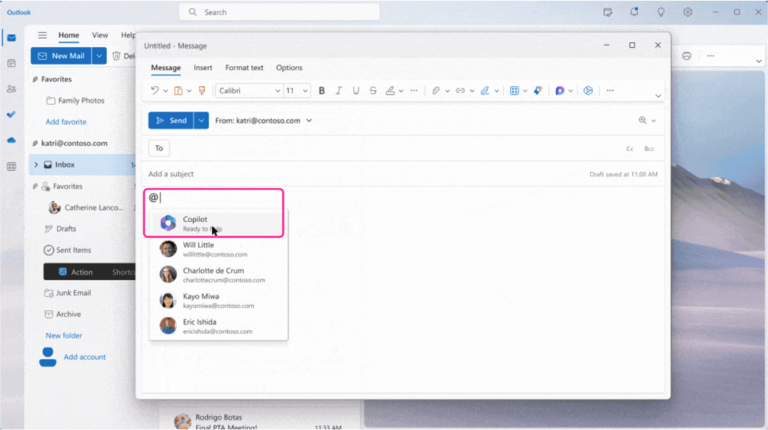
Copilot in Outlook | G7: Support efficient invocation
Guideline 7 > Example
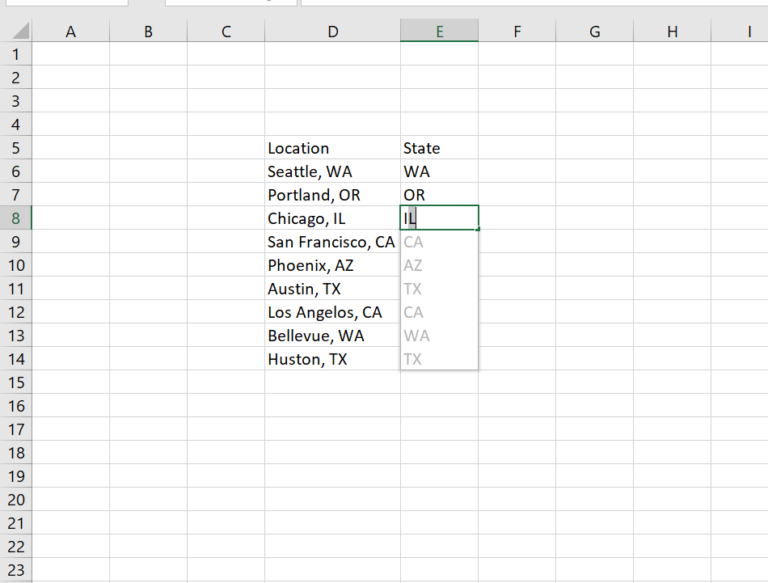
Excel Flash Fill | G7: Support efficient invocation
Guideline 7 > Example
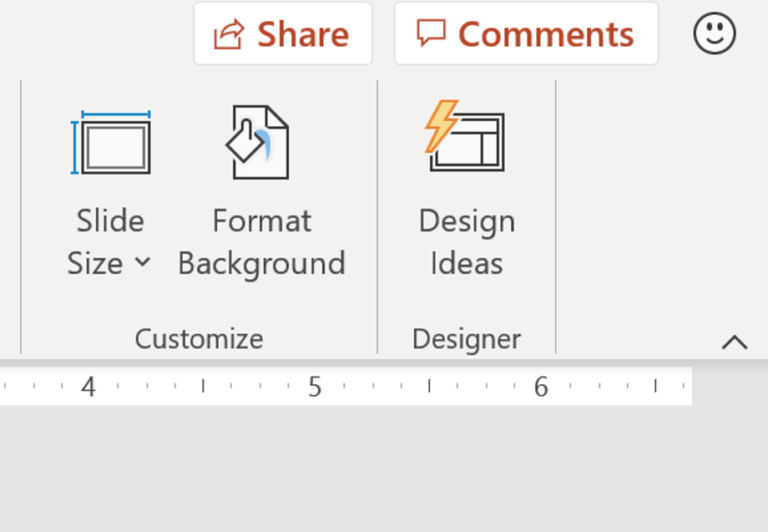
PowerPoint | G7: Support efficient invocation
Guideline 7 > Example
Alpha XR | G7: Support efficient invocation
Guideline 14 > Pattern 14A
Pattern 14A: Comprehensive updates
G14: Update and adapt cautiously.
Advertising
Chatbot
E-commerce
Email
Health and wellness
Guideline 14 > Pattern 14A > Example
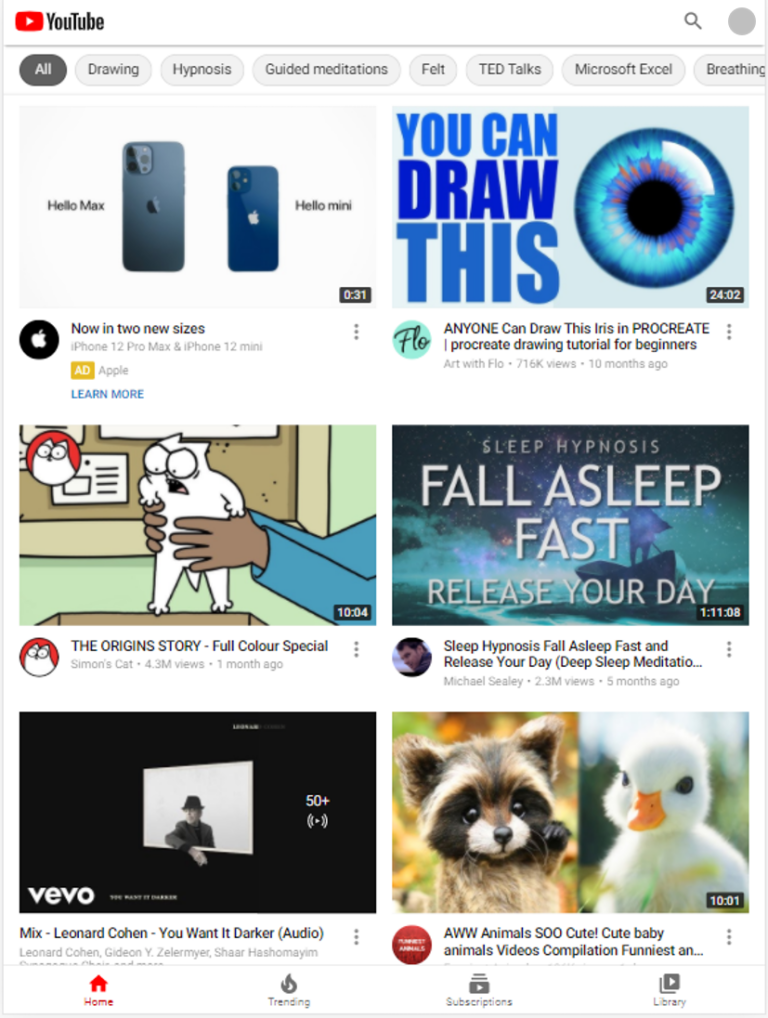
YouTube | 14A: Comprehensive updates
Guideline 14 > Pattern 14A > Example
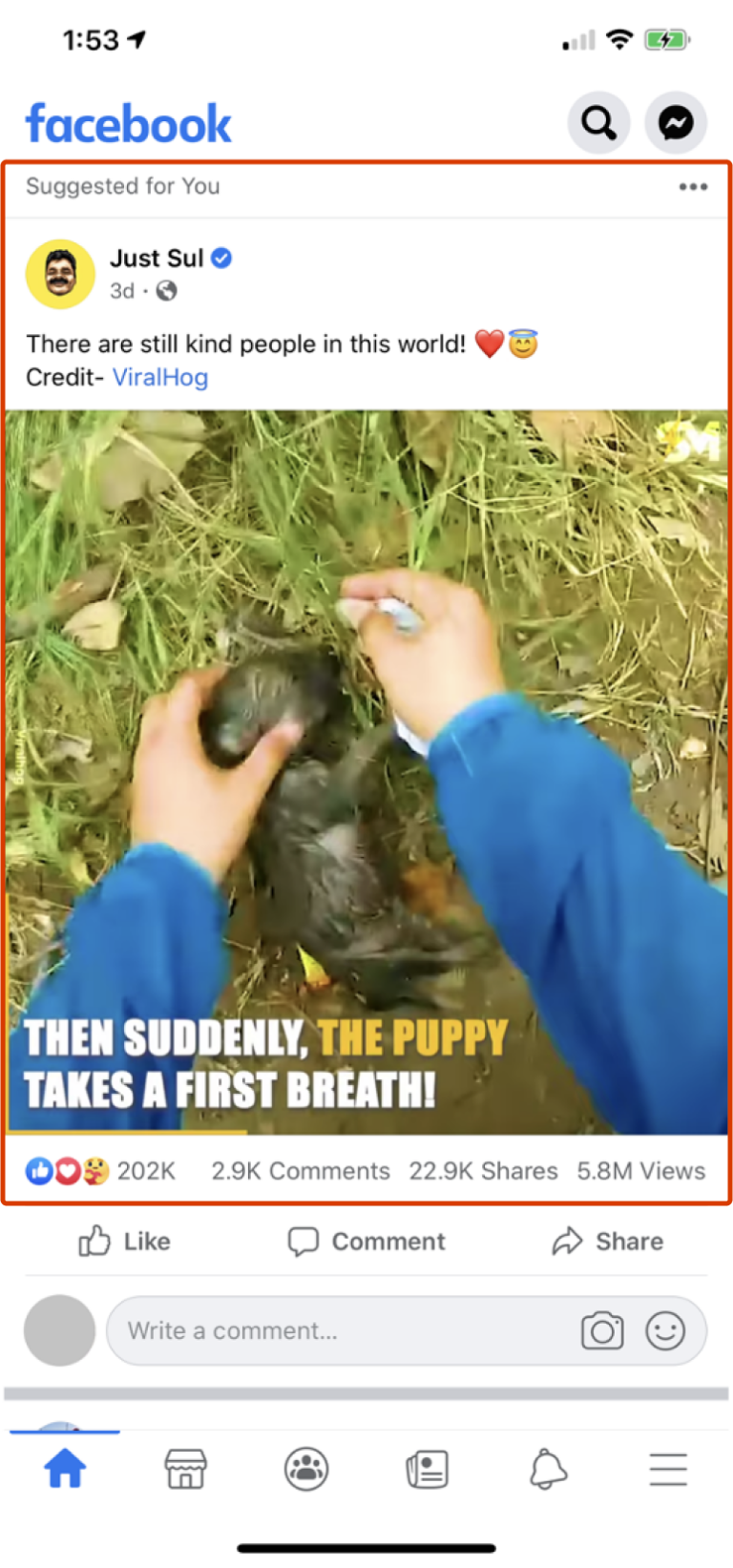
Facebook | 14A: Comprehensive updates
Guideline 14 > Pattern 14B
Pattern 14B: Immediate, partial, non-disruptive updates
G14: Update and adapt cautiously.
Advertising
Chatbot
E-commerce
Email
Health and wellness
Guideline 14 > Pattern 14B > Example
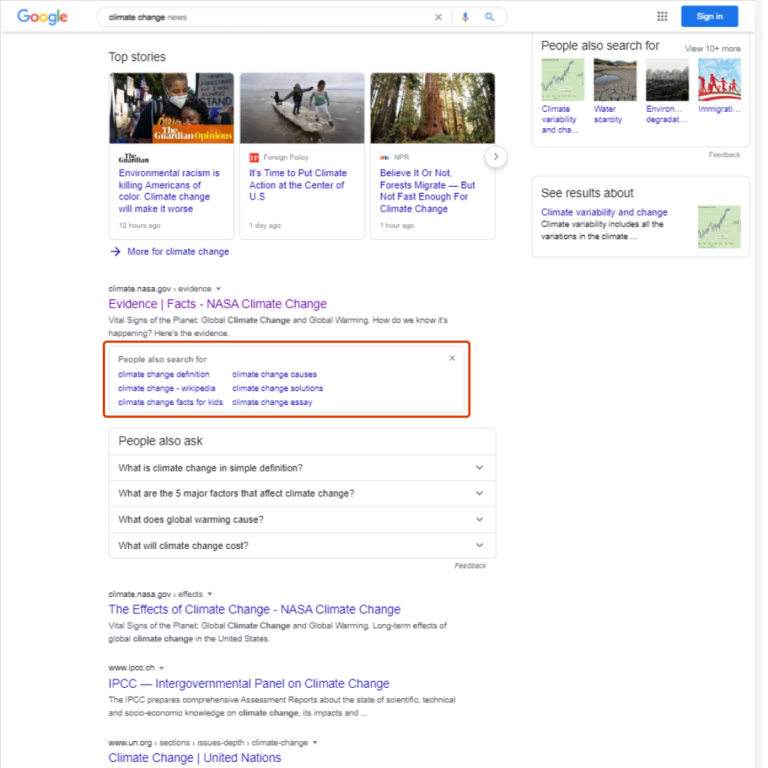
Google Search | 14B: Immediate, partial, non-disruptive updates
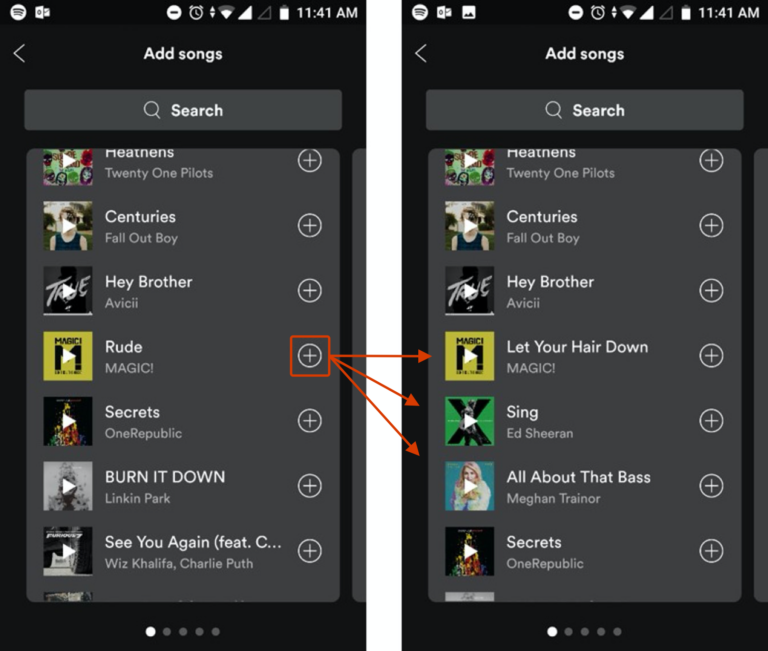
Guideline 14 > Pattern 14B > Example
Spotify | 14B: Immediate, partial, non-disruptive updates
English (United States)
Your Privacy Choices Opt-Out Icon
Your Privacy Choices
Your Privacy Choices Opt-Out Icon
Your Privacy Choices
Consumer Health Privacy
Sitemap
Contact Microsoft
Privacy
Manage cookies
Terms of use
Trademarks
Safety & eco
Recycling
About our ads
 HAX Toolkit