HAX Toolkit
Design Library
Guidelines
Design Library
Design Patterns
Workbook
Playbook
About
Share ideas
Microsoft Security
Azure
Dynamics 365
Microsoft 365
Microsoft Teams
Windows 365
Microsoft AI
Azure Space
Mixed reality
Microsoft HoloLens
Microsoft Viva
Quantum computing
Sustainability
Education
Automotive
Financial services
Government
Healthcare
Manufacturing
Retail
Find a partner
Become a partner
Partner Network
Microsoft Marketplace
Software companies
Blog
Microsoft Advertising
Developer Center
Documentation
Events
Licensing
Microsoft Learn
Microsoft Research
View Sitemap
HAX Design Library
Interactive collection of the 18 Guidelines for Human-AI Interaction, with design patterns for applying them and examples.
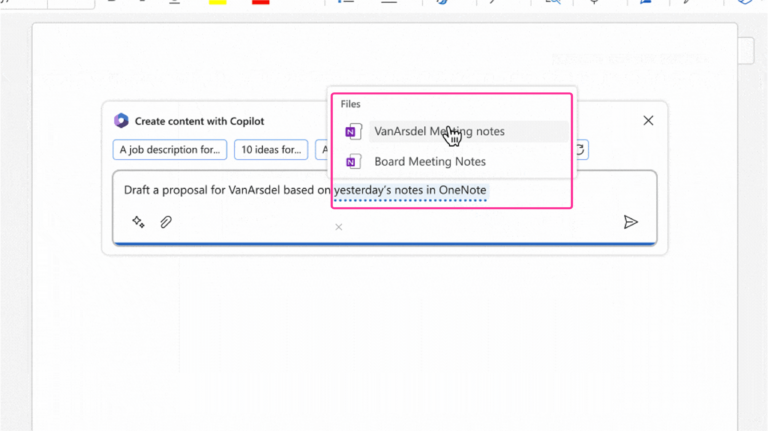
Guideline 4 > Example
Copilot in Word | G4: Show contextually relevant information
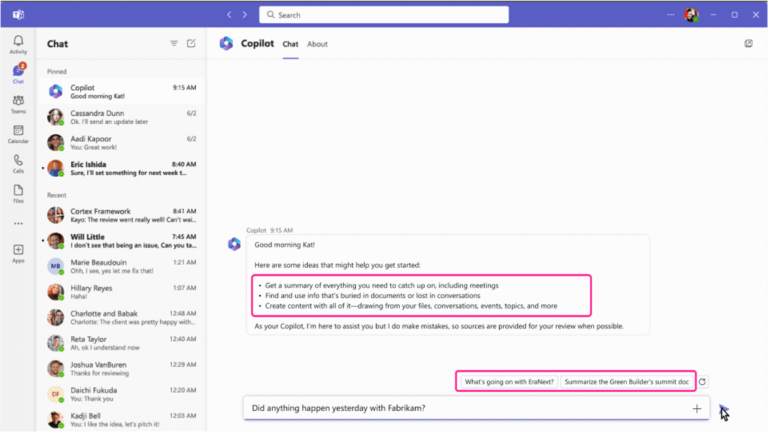
Guideline 4 > Example
Business Chat | G4: Show contextually relevant information
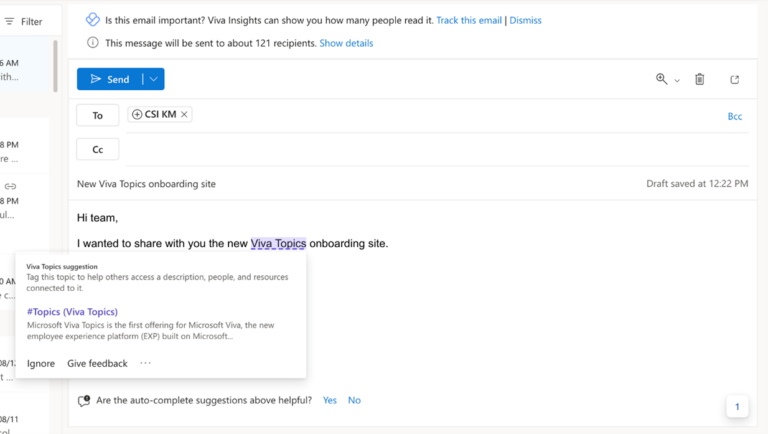
Guideline 4 > Example
Viva Topics – G4: Show contextually relevant information
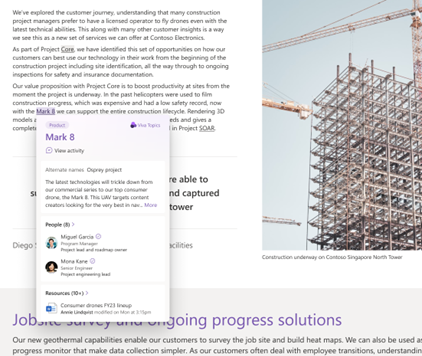
Guideline 4 > Example
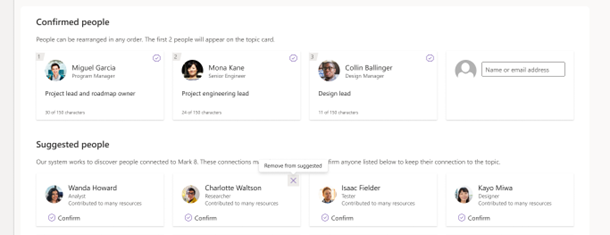
Viva Topics | G4: Show contextually relevant information
Guideline 4 > Example
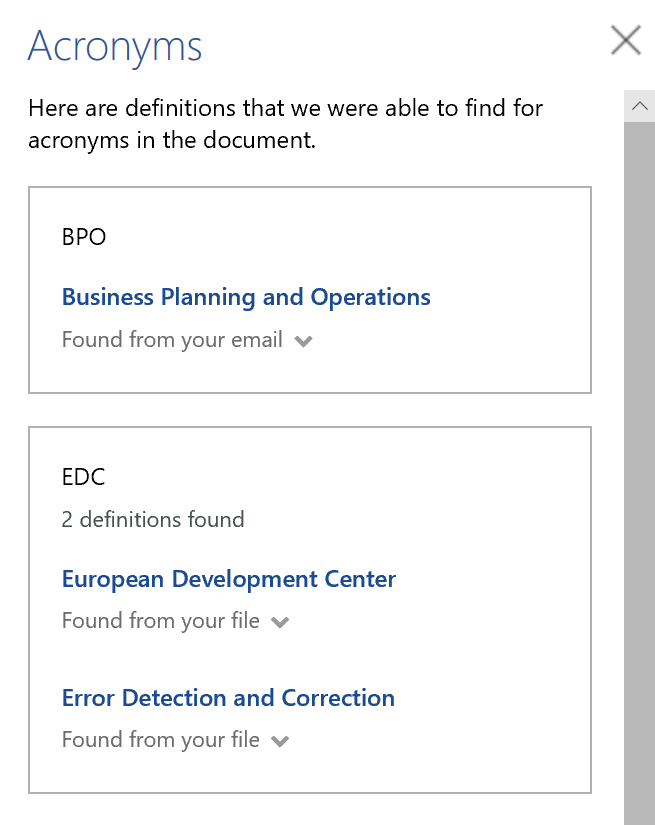
Microsoft Word | G4: Show contextually relevant information
Guideline 4 > Example
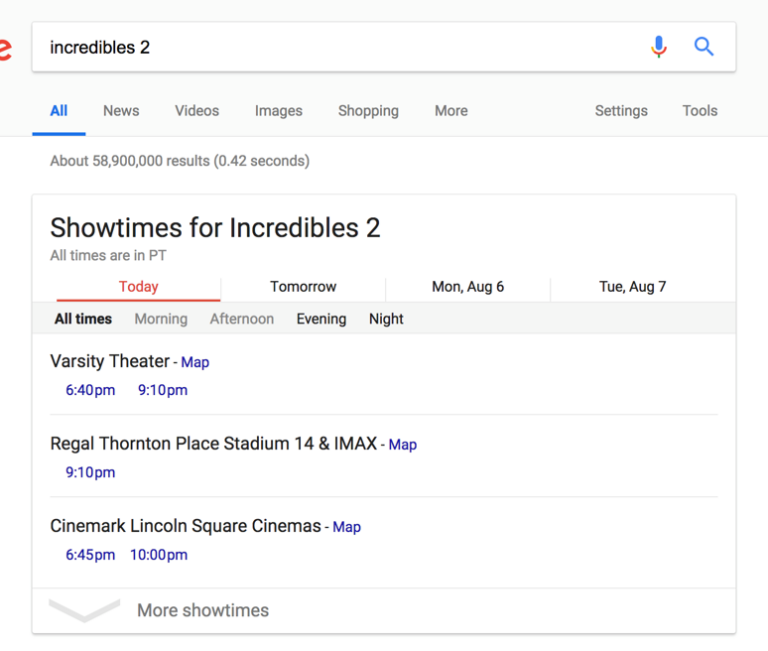
Google Search | G4: Show contextually relevant information
Guideline 4 > Example
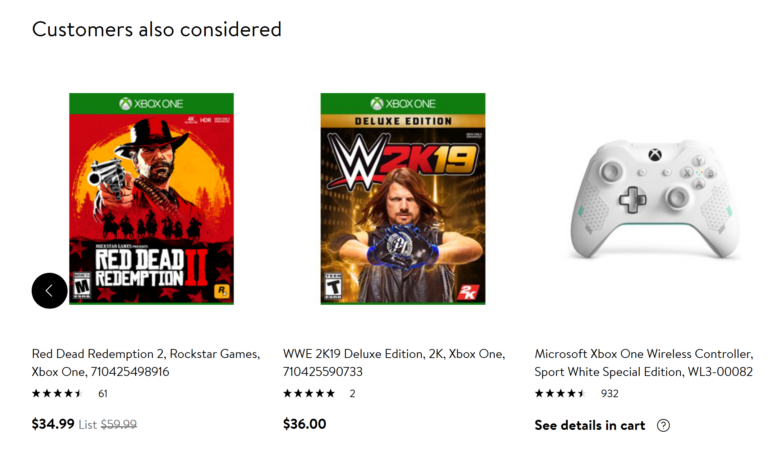
Walmart.com | G4: Show contextually relevant information
Guideline 9 > Pattern 9A > Example
Viva Topics | 9A: Switch classification decisions
Guideline 9 > Pattern 9A > Example
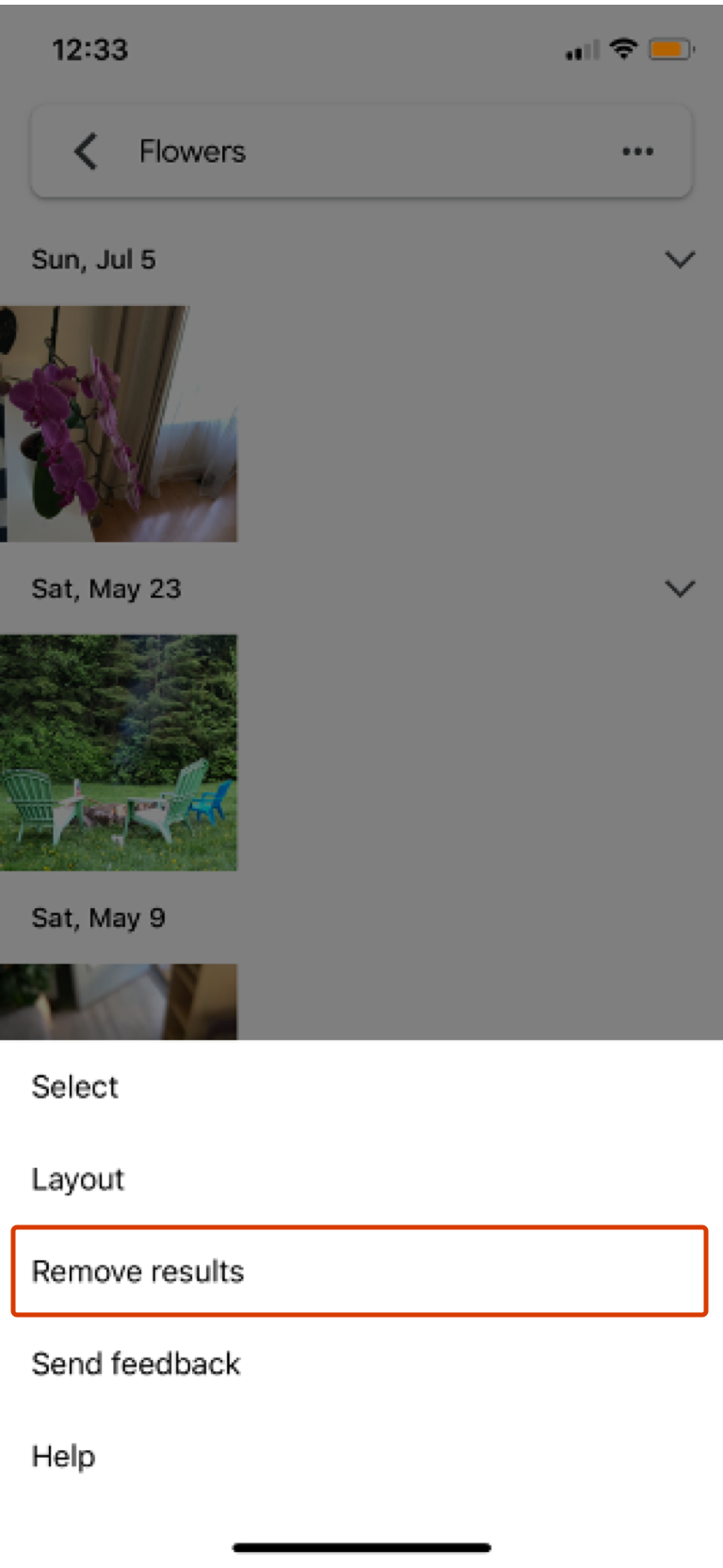
Google Photos | 9A: Switch classification decisions
Guideline 9 > Pattern 9A > Example
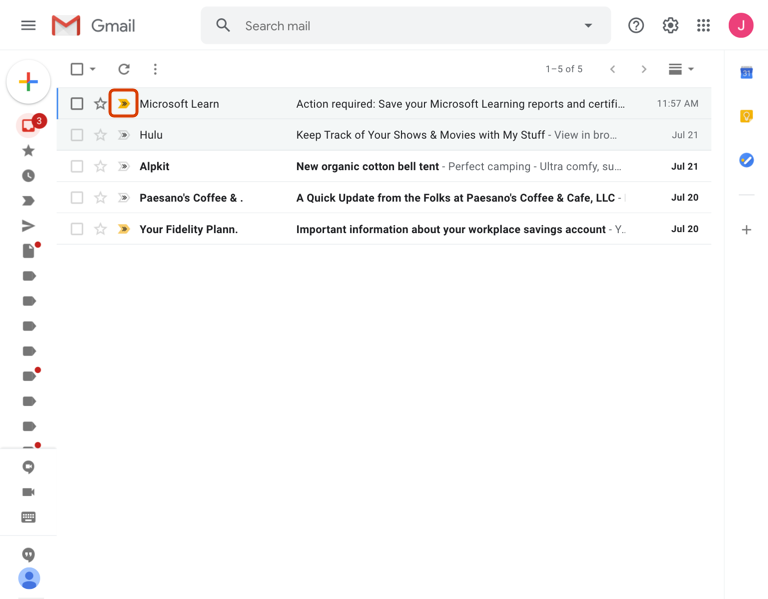
Gmail | 9A: Switch classification decisions
Guideline 9 > Pattern 9B > Example
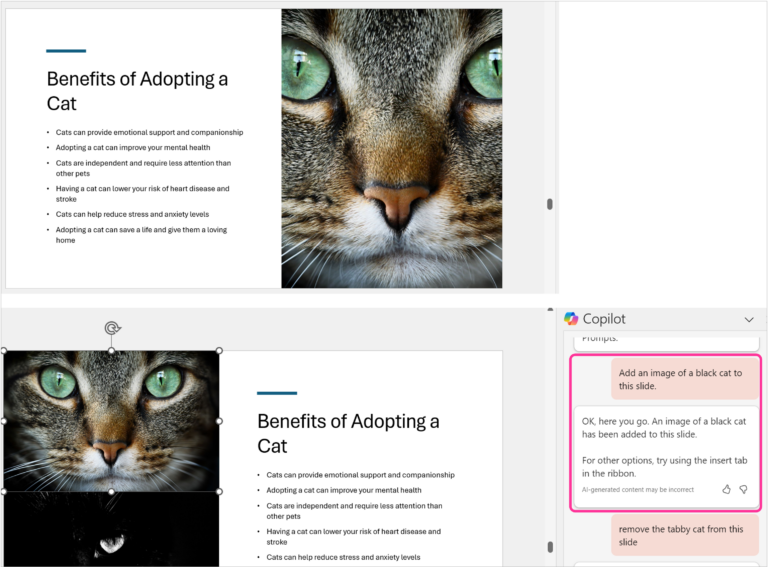
Copilot in PowerPoint | 9B: Rich and detailed edits
Guideline 9 > Pattern 9B > Example
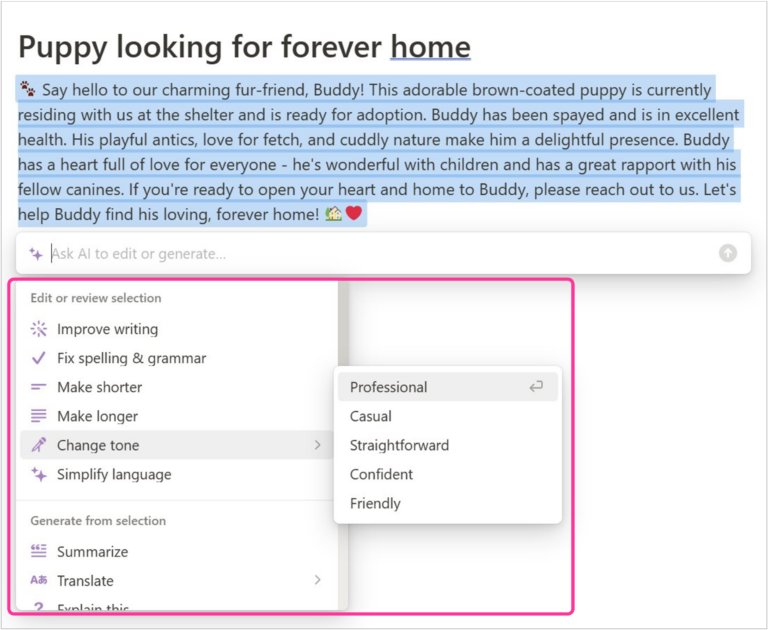
Notion | 9B: Rich and detailed edits
Guideline 9 > Pattern 9B > Example
Copilot in Outlook | 9B: Rich and detailed edits
Guideline 9 > Pattern 9B > Example
Copilot in Word | 9B: Rich and detailed edits
Guideline 9 > Pattern 9B > Example
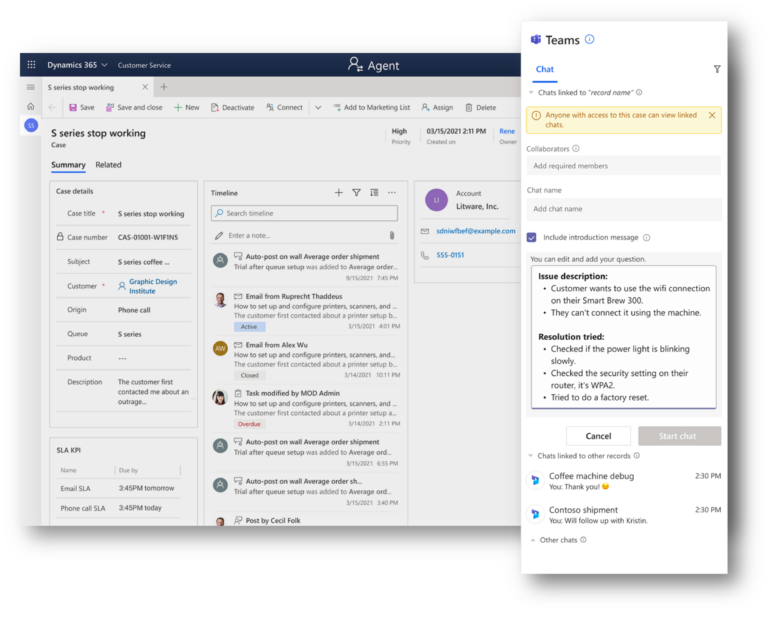
D365 Customer Service | 9B: Rich and detailed edits
Guideline 9 > Pattern 9B > Example
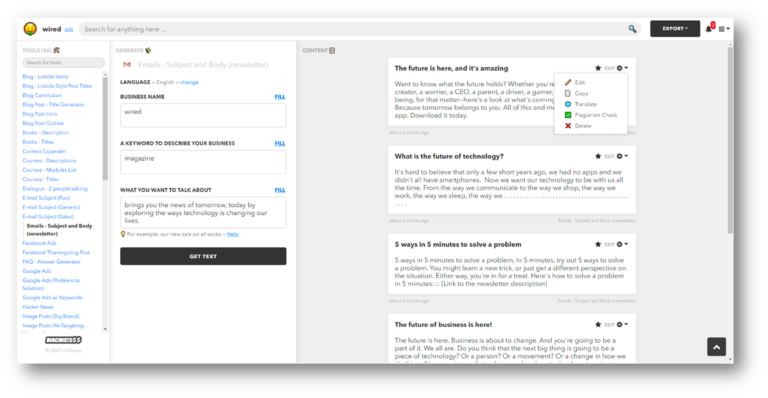
Nichesss | 9B: Rich and detailed edits
Guideline 9 > Pattern 9B > Example
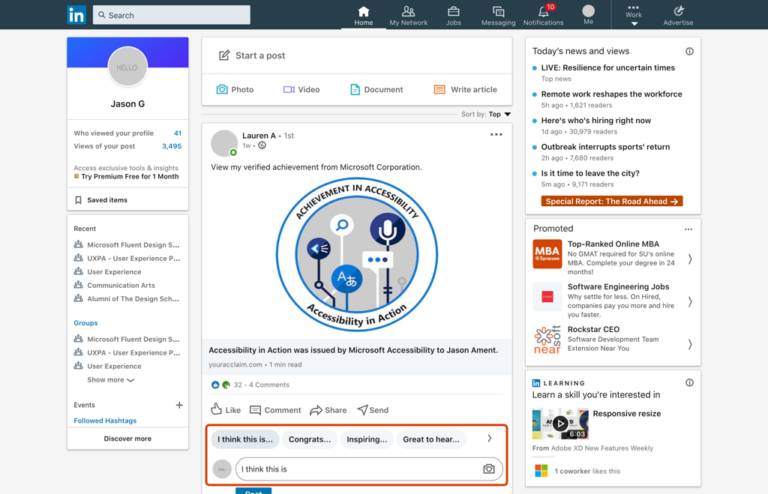
LinkedIn | 9B: Rich and detailed edits
Guideline 9 > Pattern 9B > Example
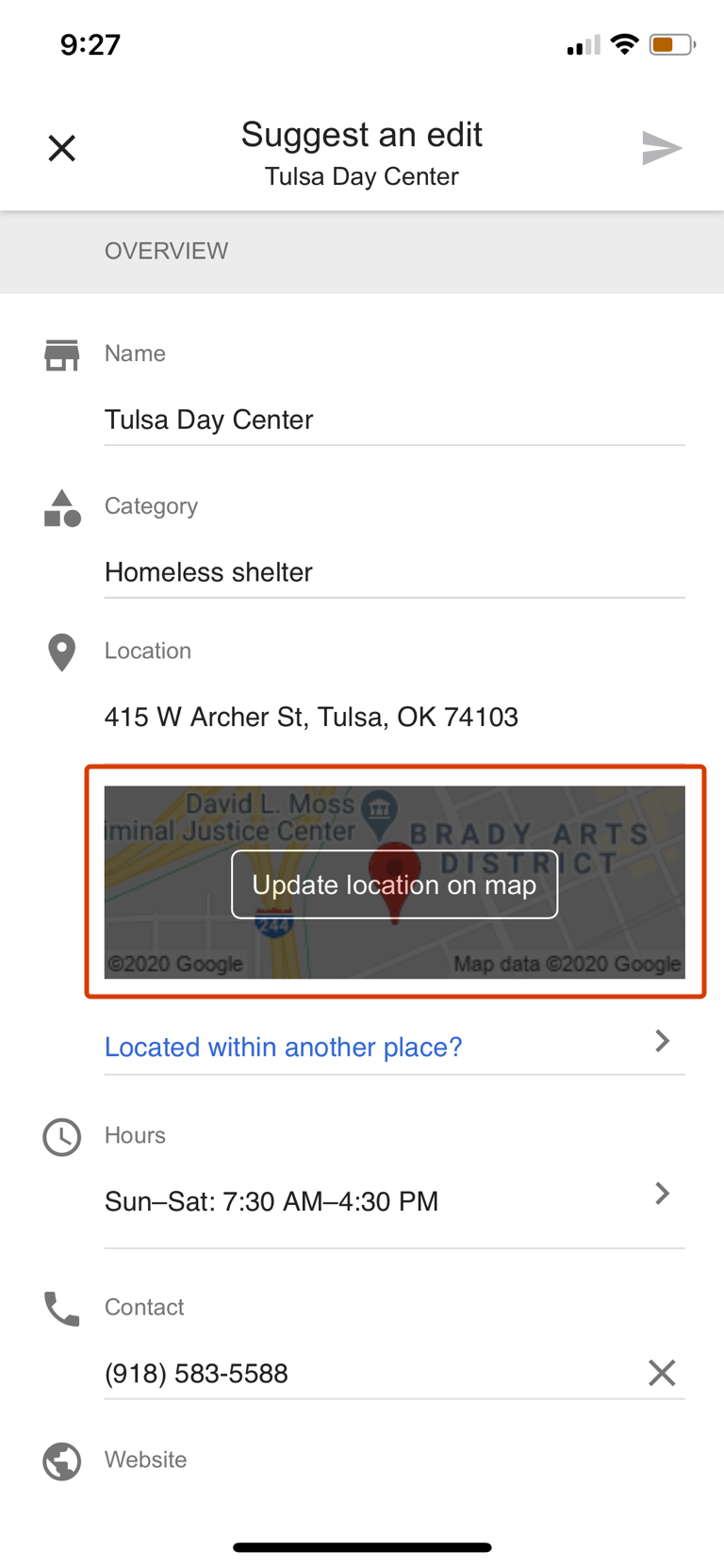
Google Maps | 9B: Rich and detailed edits
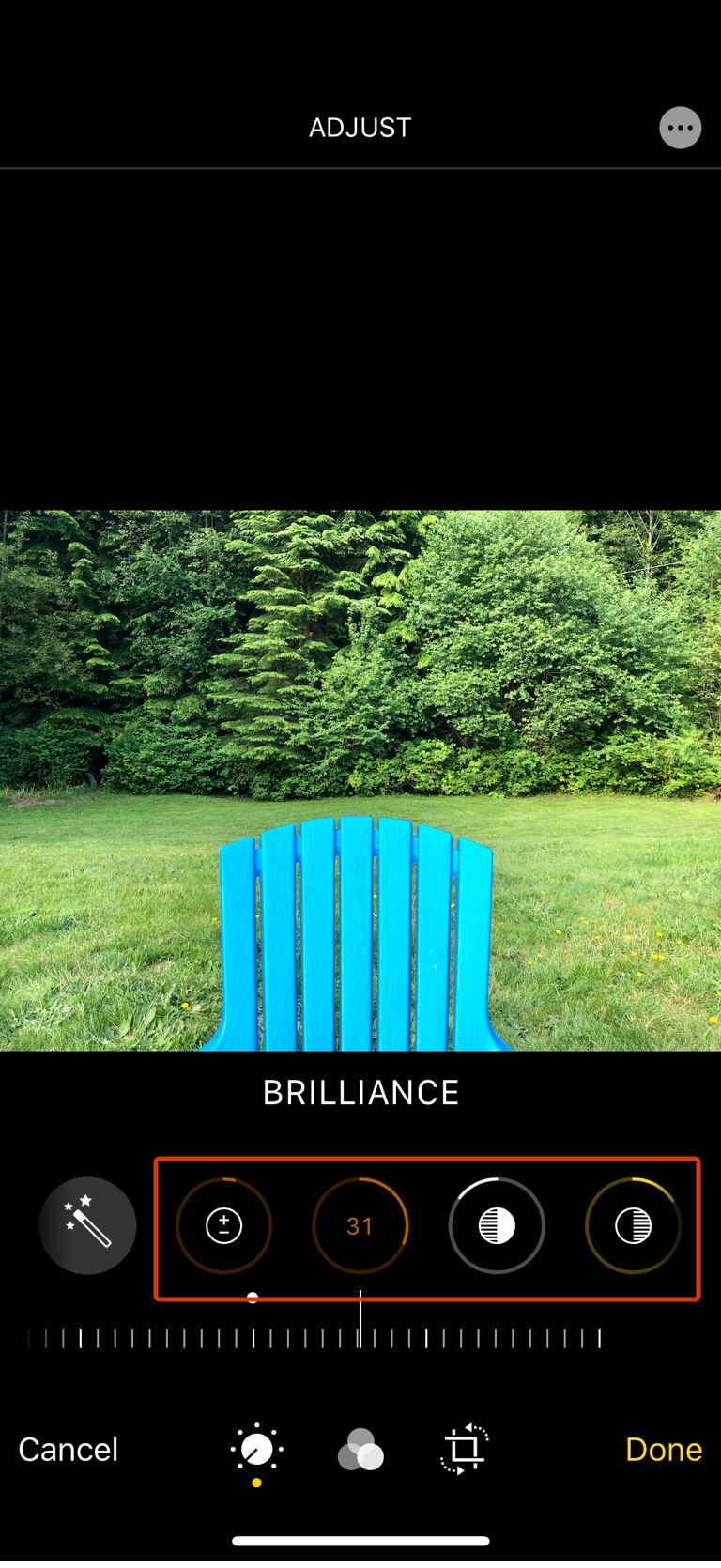
Guideline 9 > Pattern 9B > Example
Apple Photos | 9B: Rich and detailed edits
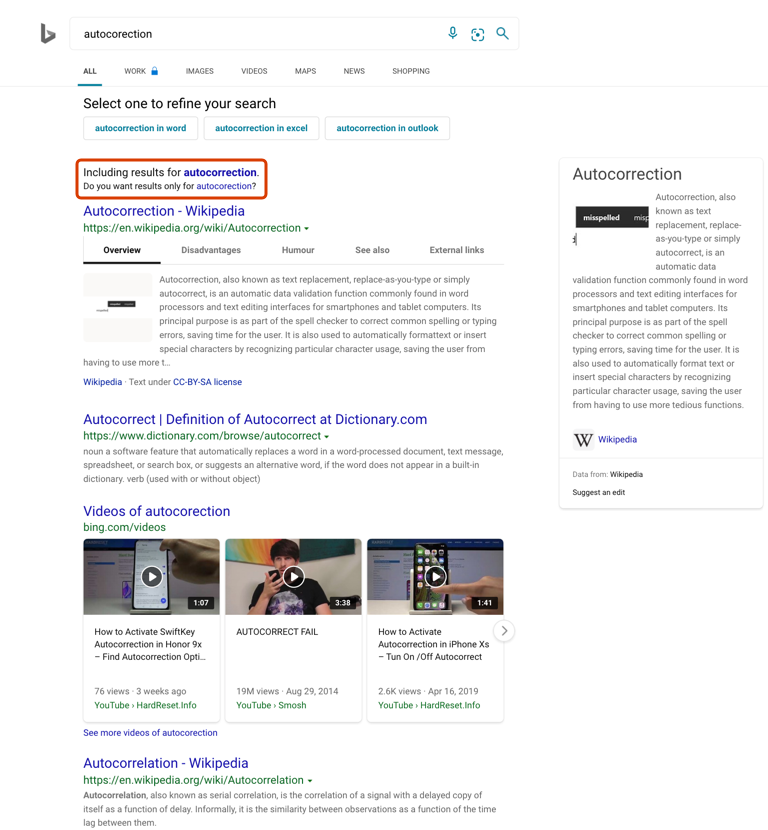
Guideline 9 > Pattern 9C > Example
Bing Search | 9C: Undo automated actions
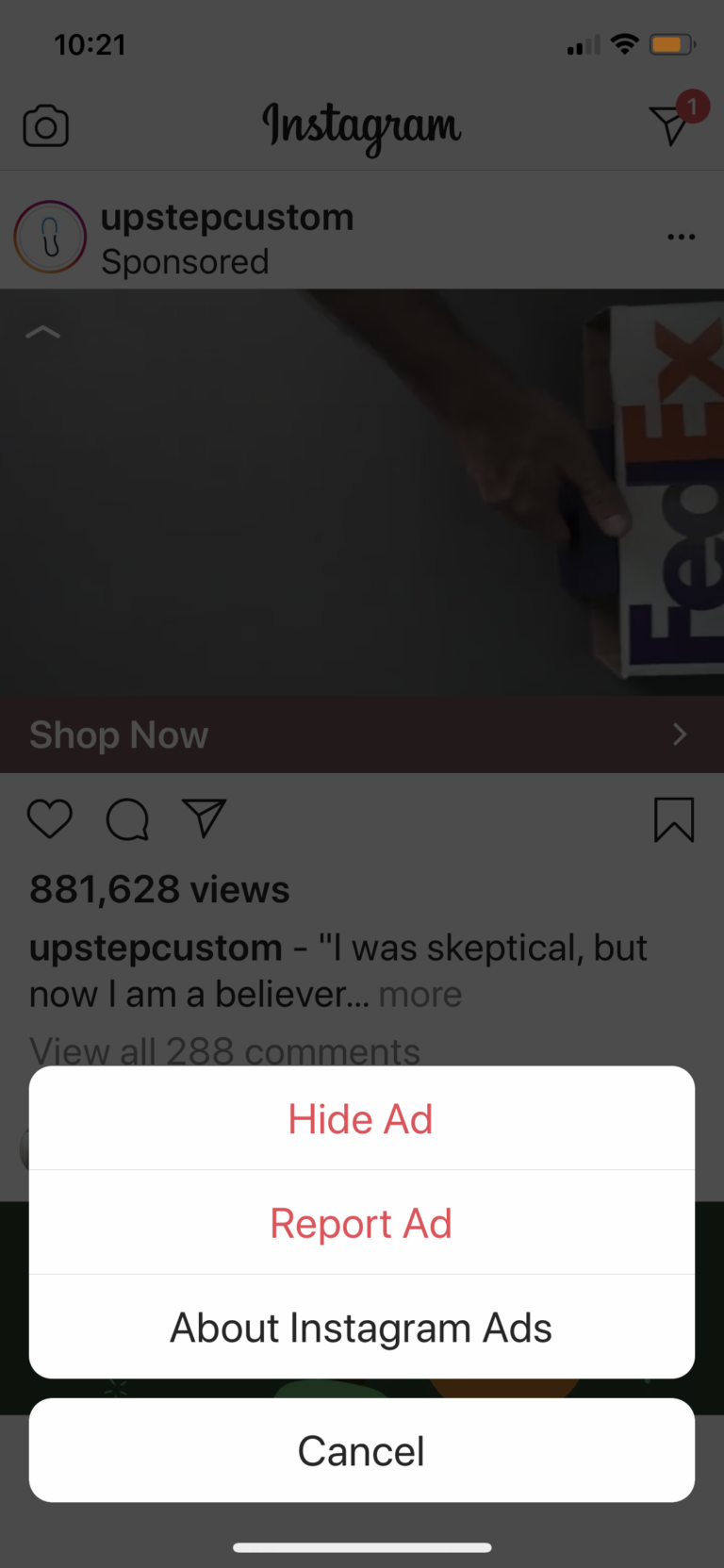
Guideline 9 > Pattern 9D > Example
Instagram | 9D: Do G9 through G15
Guideline 9 > Pattern 9D > Example
Google Photos | 9D: Do G9 through G15
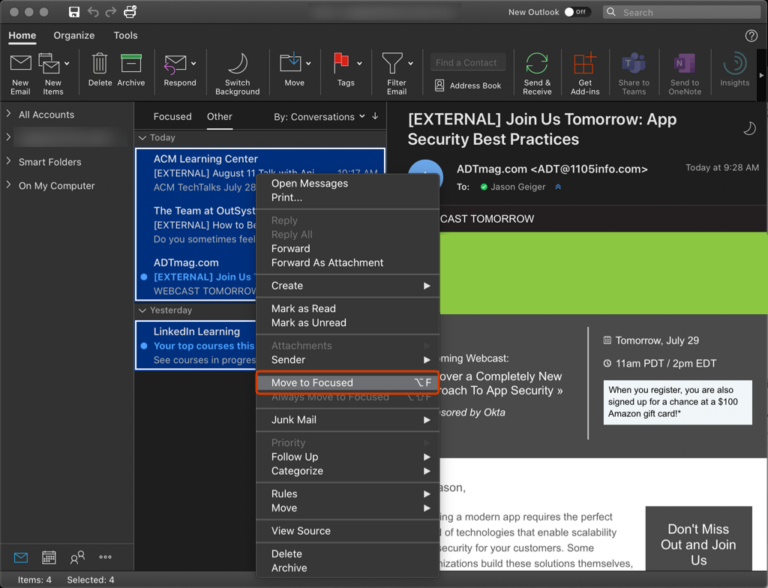
Guideline 9 > Pattern 9E > Example
Outlook | 9E: Batch-editing data
Guideline 9 > Pattern 9E > Example
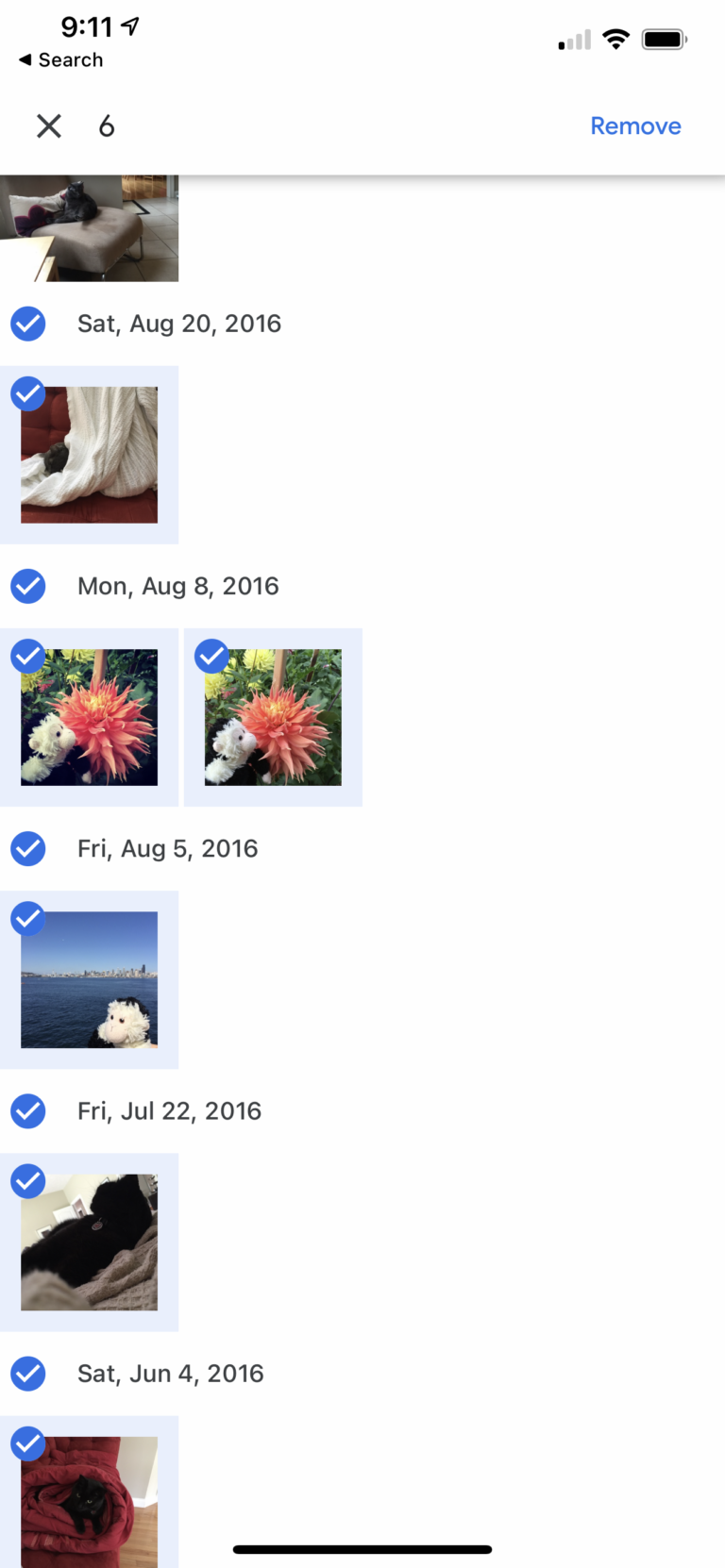
Google Photos | 9E: Batch-editing data
Guideline 9 > Pattern 9E > Example
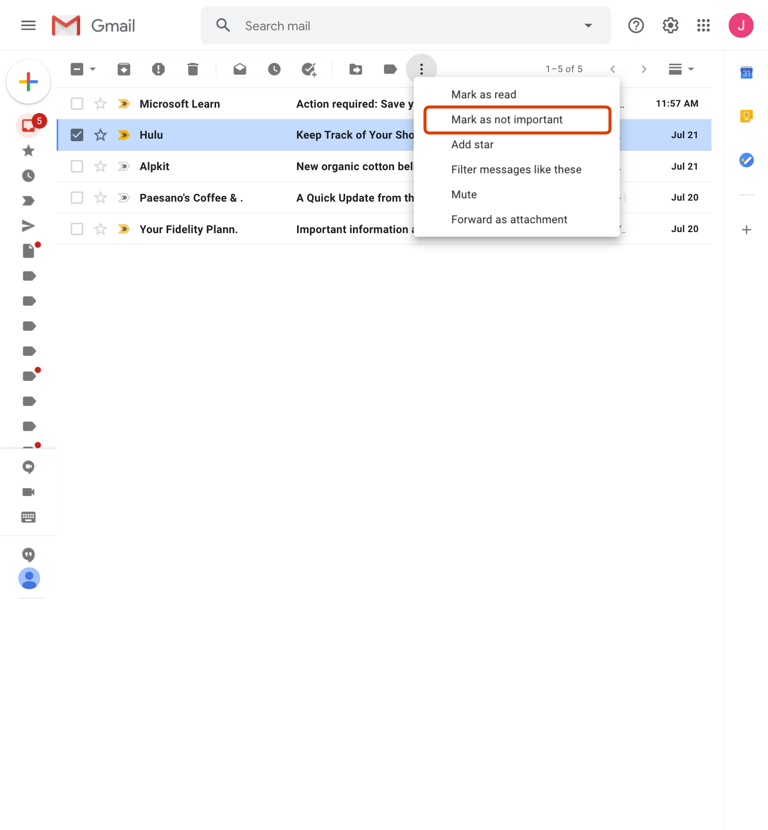
Gmail | 9E: Batch-editing data
Guideline 9 > Example
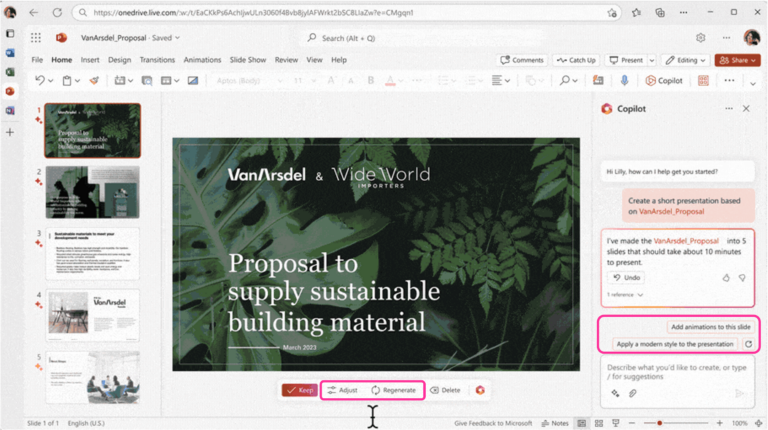
Copilot in PowerPoint | G9: Support efficient correction
Guideline 12 > Example
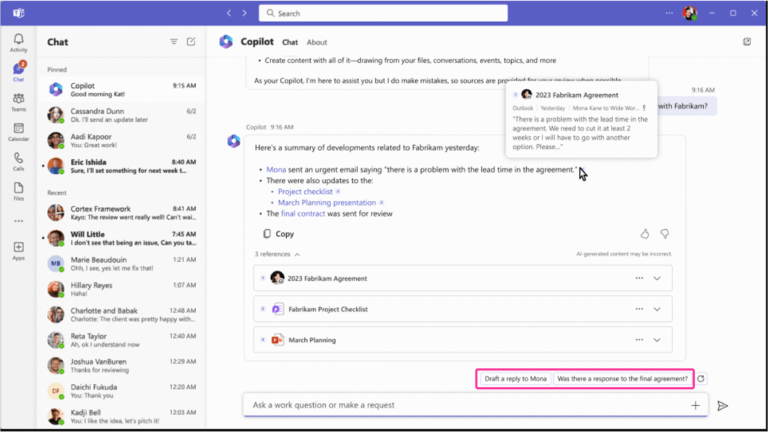
Business Chat | G12: Remember recent interactions
Guideline 12 > Example
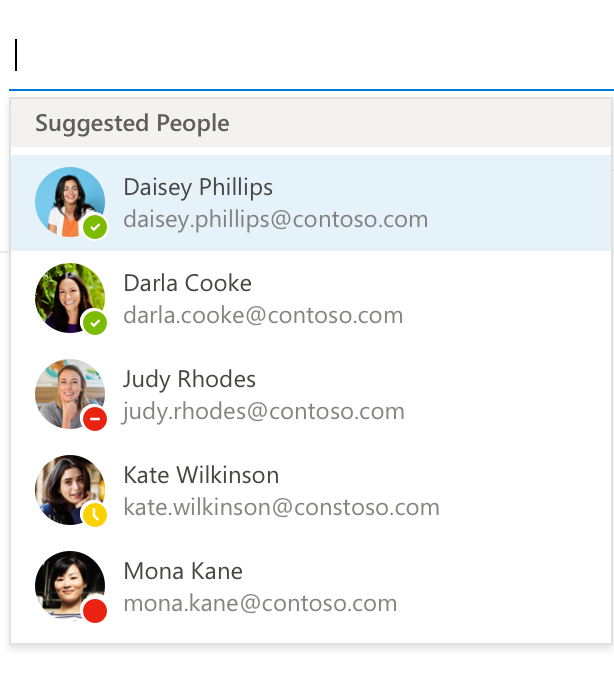
Outlook – G12: Remember recent interactions
Guideline 12 > Example
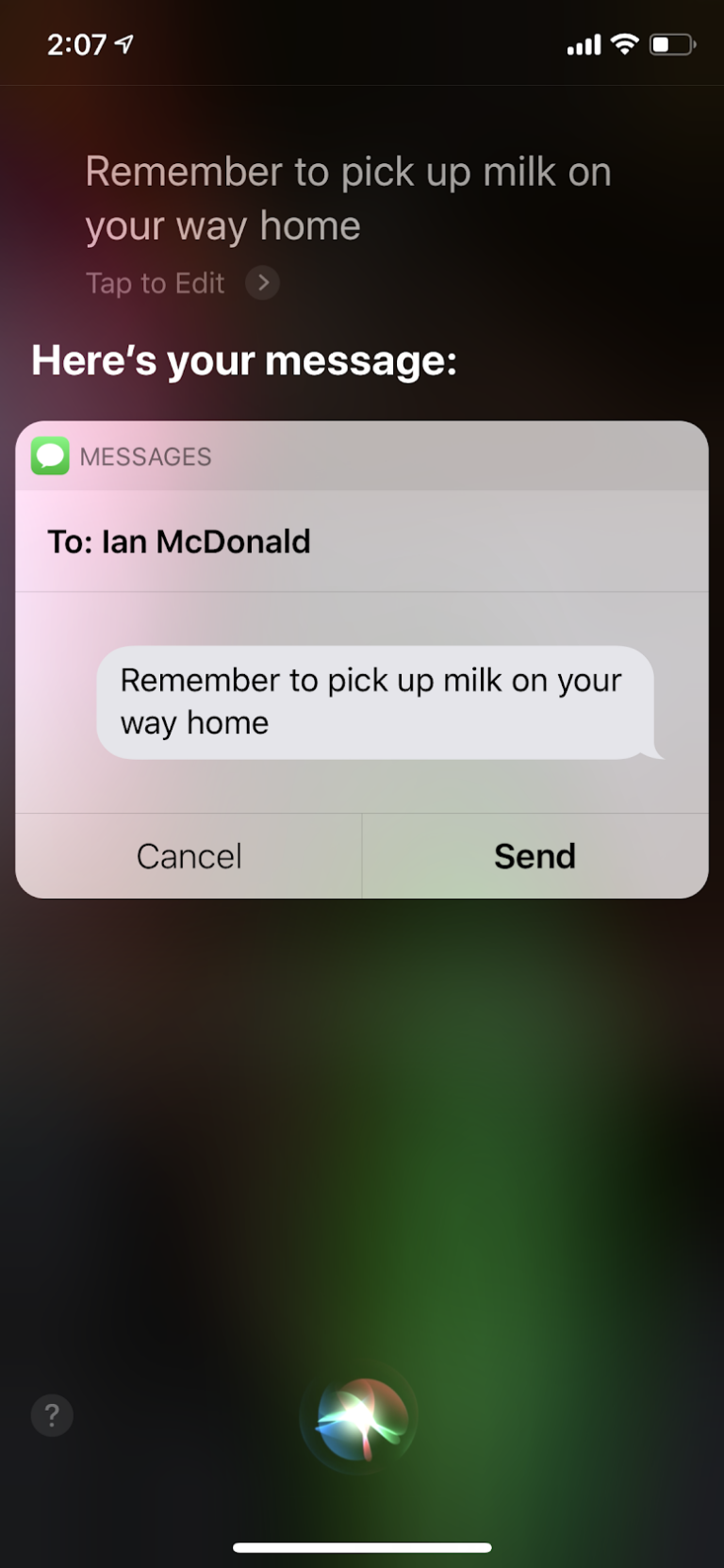
Siri | G12: Remember recent interactions
Guideline 12 > Example
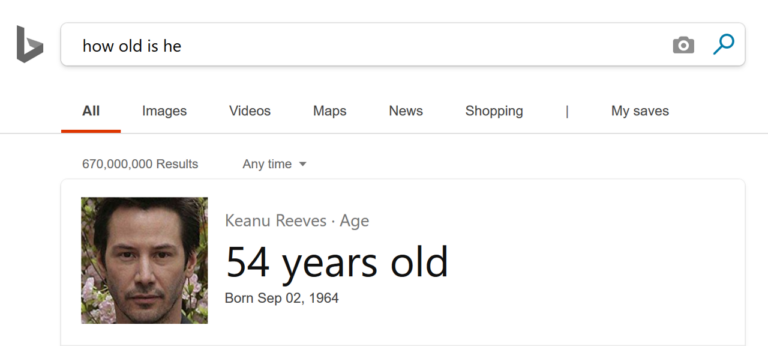
Bing Search | G12: Remember recent interactions
English (United States)
Your Privacy Choices Opt-Out Icon
Your Privacy Choices
Your Privacy Choices Opt-Out Icon
Your Privacy Choices
Consumer Health Privacy
Sitemap
Contact Microsoft
Privacy
Manage cookies
Terms of use
Trademarks
Safety & eco
Recycling
About our ads

 HAX Toolkit