



As a father of a child on the Autism spectrum who relies completely on digital media for his learning, I fully appreciate the impact that digital accessibility can have on people with disabilities. Designing with accessibility in mind greatly expands the impact of Microsoft solutions. What many don’t realize, however, is that the impact of accessible design is even bigger than that. When we design for accessibility, everyone benefits.
For example, television video captioning was initially designed for the benefit of people who are hard-of-hearing. Today, it’s far more widely used, such as in loud places where people still want to watch TV and follow the context of the images. We at Microsoft and many of our customers make extensive use of video captioning in Microsoft Teams meetings. This makes the meetings not just accessible, but also convenient for people who may need to join meetings in noisy places—a perfect example of the widespread benefits of accessible design. Microsoft’s product design principles are based on a consistent approach: taking a disability-inclusive mindset in all product designs to strive to deliver a better user experience for all.
Consistent with this philosophy, Azure Sentinel already includes accessibility features that conform to the Web Content Accessibility Guidelines (WCAG), among others. We are now taking this commitment a step further by adding another significant useability enhancement delivered through responsive design. Responsive design is a software development approach that optimizes an application’s user interface to adapt to various screen sizes, ranging from small, medium, to large glass. It allows developers to make efficient use of screen space, leverage specific features on a particular device, and optimize for various forms of input with the goal of improving user experience regardless of the choice of form factor. Beyond ease of use, digital accessibility can have far-reaching benefits in broadening opportunities for people of all abilities. To learn more about the role Microsoft is playing, read the blog Doubling down on accessibility: Microsoft’s next steps to expand accessibility in technology, the workforce and workplace.
Responsive design benefits in Azure Sentinel
Without responsive design, security operations center (SOC) analysts trying to use Azure Sentinel would experience difficulty when trying to navigate around the interface, especially if they are using a mobile device. For example, they would need to scroll to the right side in order to visualize pages with large amounts of text, increasing the friction they experience while trying to get their work done. With Azure Sentinel incorporating responsive design in the user interface, users can now expect an enriched experience in the following key areas:
Mobile access
Responsive design now enhances the usability of the Azure Sentinel portal from any device, including browsers on mobile phones. This now greatly improves the convenience of using the products and facilitates the mobility of the experience, allowing users to access the portal from light-weight devices that the users typically carry with them. When it comes to incident response, time is of the essence—the ability to respond from anywhere from a portable device is of great benefit. Below is a screenshot of an incident in Azure Sentinel opened from a mobile phone.
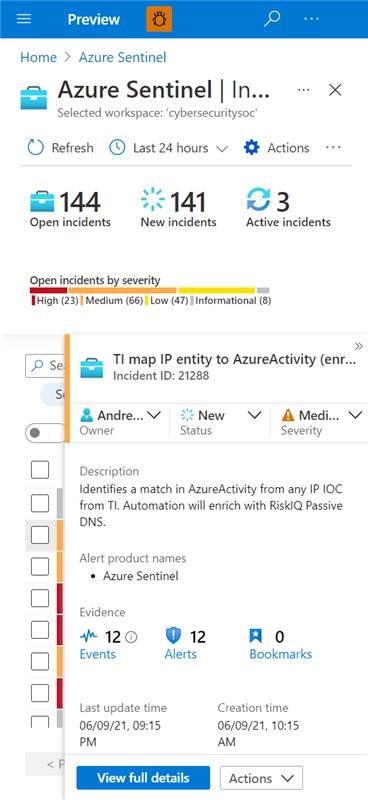
Figure 1: Azure Sentinel incident opened on a mobile device.
Enhanced zoom
It is now possible to zoom in to up to 400 percent without distorting user interface elements. This capability makes it possible to move away from the constraints of fixed-width designs to one that adjusts screen elements without distorting them even when a user zooms to such high percentages. As a result, the capability significantly improves the accessibility of the user interface to users with low vision or even to anyone who prefers to read larger text. For users with limited dexterity, the ability to enlarge text makes user interface elements larger, making selections easier.
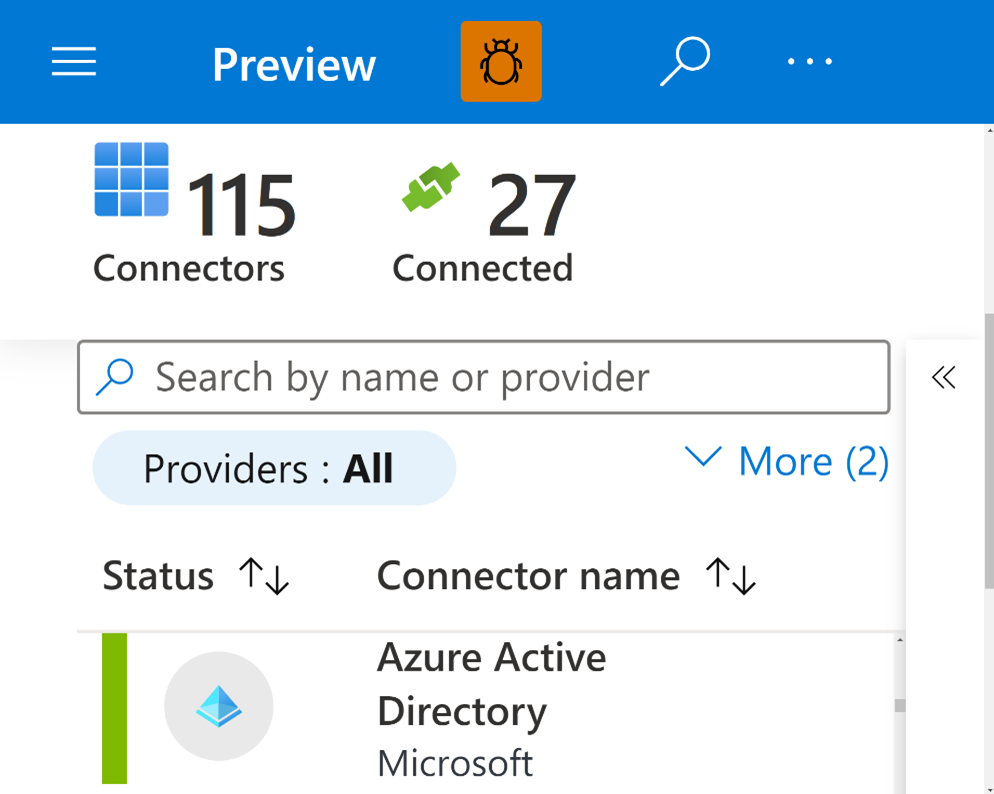
Figure 2: Azure Sentinel Analytics blade at 400 percent zoom at 1920×1080 display resolution.
Content reflow
The ability to accommodate different viewport sizes across devices of varying sizes without requiring the user to perform multiple scrolling operations is of significant benefit to anyone with accessibility needs and is a desirable user experience for any other user. With content reflow, the content automatically adjusts to fit the screen size, eliminating the need for horizontal scrolling to view content as depicted below:
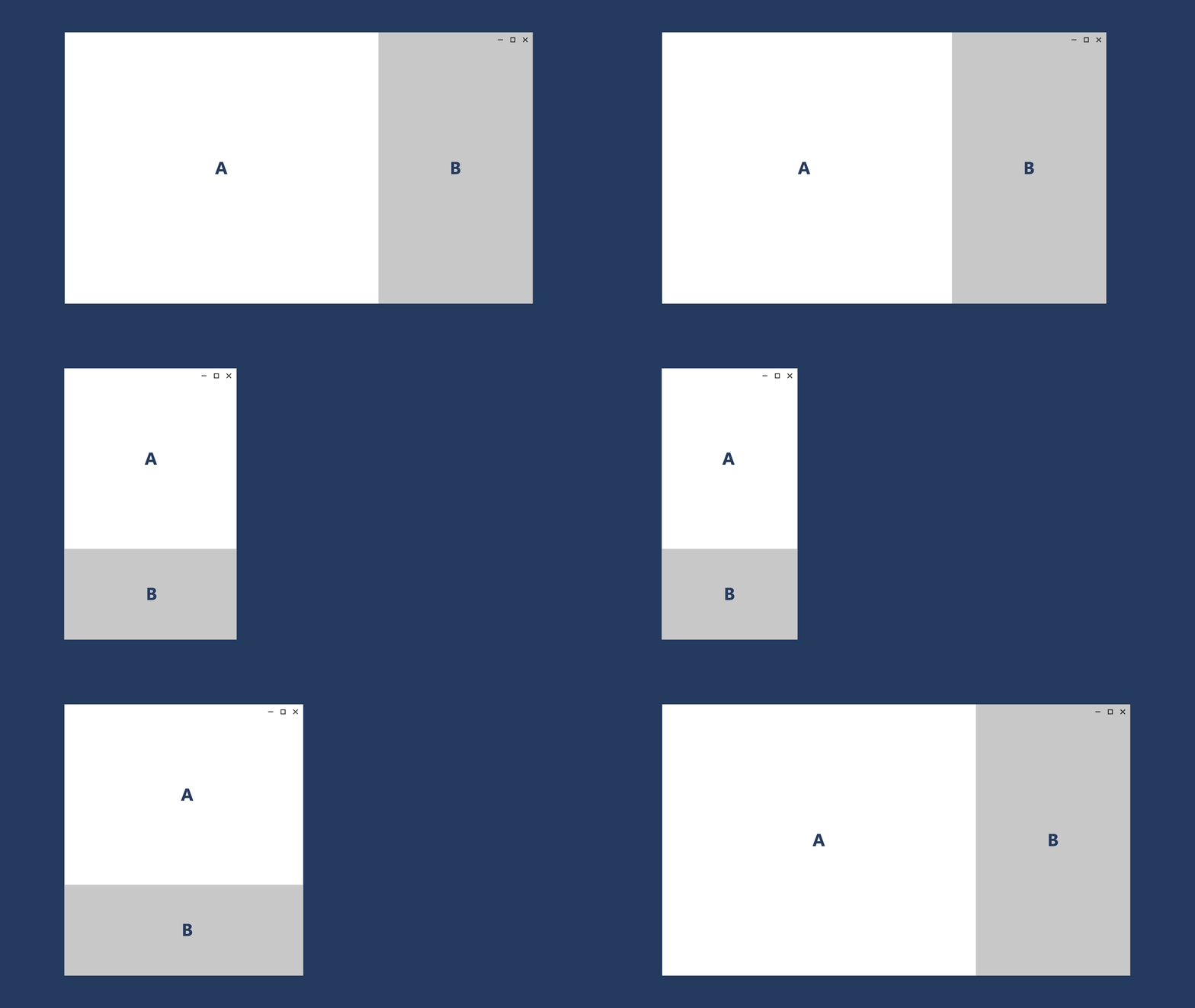
Figure 3: Example of how text reflows from a large to small glass device and vice versa.
Linear order
Linear order is important for structure as it maintains predictability when navigating through content (like the appearance of columns in the source order determines how screen readers or Windows narrator reads out the content). With reflow, the order of item presentation in the user interface is preserved, which makes for a consistent and accessible experience. For example, users typically expect the flow to be from left to right, top to bottom as depicted in the image below.
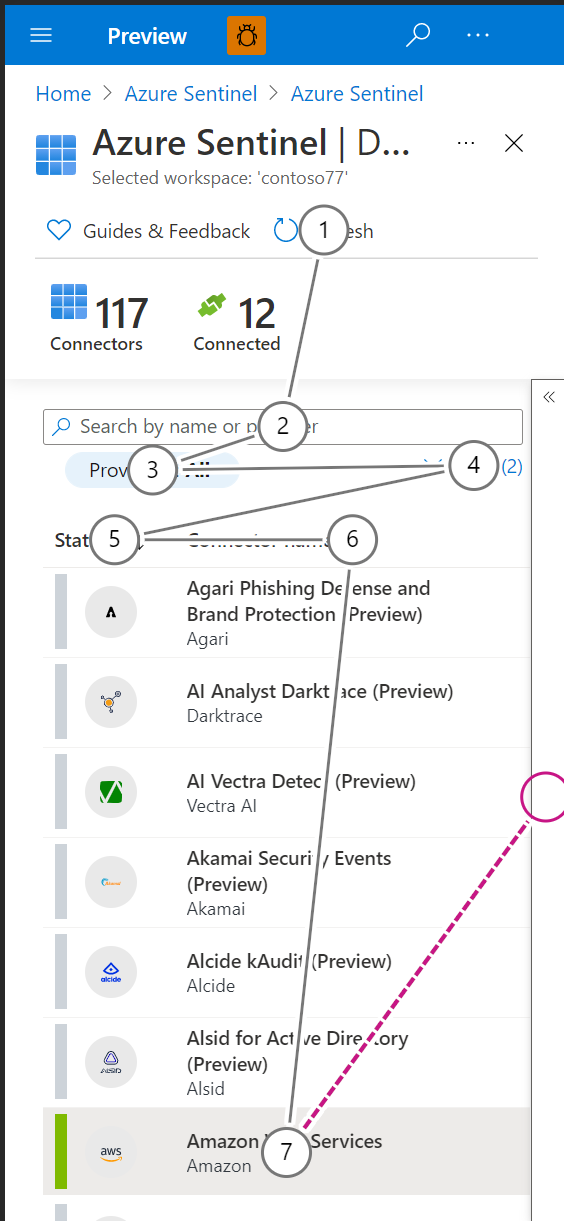
Figure 4. Example of the linear order for mobile screen view.
One billion. This is the number of people with disabilities across the world. Designing software or hardware with this population in mind pushes the limits of creativity to new boundaries, resulting in improved products and user experiences for all. Additionally, it increases the chances for people with disabilities to be gainfully employed with jobs that have been enabled by accessible technology. By proactively building accessibility into product designs right at the onset, we at Microsoft make technology adapt to user preferences as opposed to the other way round. We are excited that the new reflow-powered features in Azure Sentinel will make the product more usable and the experience more portable for our customers. Log in to your Azure Sentinel portal today from a device of any size and respond to incidents from the convenience of your favorite device.
Learn more
- Doubling down on accessibility: Microsoft’s next steps to expand accessibility in technology, the workforce and workplace
- Responsive design techniques
- Microsoft Inclusive Design
- Azure Sentinel
To learn more about Microsoft Security solutions, visit our website. Bookmark the Security blog to keep up with our expert coverage on security matters. Also, follow us at @MSFTSecurity for the latest news and updates on cybersecurity.
Special thanks to Ishan Soni for his input and Menny Mezamar-Tov and the rest of the accessibility engineering team for building the reflow capability into Azure Sentinel.


