



Every organization today faces password-related challenges—phishing campaigns, productivity loss, and password management costs to name just a few. The risks now outweigh the benefits when it comes to passwords. Even the strongest passwords are easily phish-able and vulnerable to attacks, such as password spray and credential stuffing. People don’t like them either—a third of people surveyed say they’d rather abandon a website than reset their password. “I don’t have any more passwords left in me,” is becoming an all-too-common feeling. It’s time to look at password alternatives that are both highly secure and convenient. Here’s a few key resources that can help you as you plan for and deploy passwordless for your organization.
1. Preparing your organization for passwordless authentication
Today, the technology exists to make sign-ins simpler and more secure. Two protocols, WebAuthn and CTAP2, form what is known as the FIDO2 standard—which enables organizations to upgrade their authentication methods to strong hardware-backed multifactor authentication options that don’t rely on passwords at all. Instead, you can use a physical key, laptop, or mobile app as your credential. Two questions customers often ask are which method do I choose and how do I get started?
I recently published an update to our Passwordless Protection whitepaper, which breaks down the different authentication methods, adoption strategies, and use cases. This guide gives you a great starting point for thinking through your strategy and a foundational understanding of how passwordless authentication works and the requirements for each of the options.
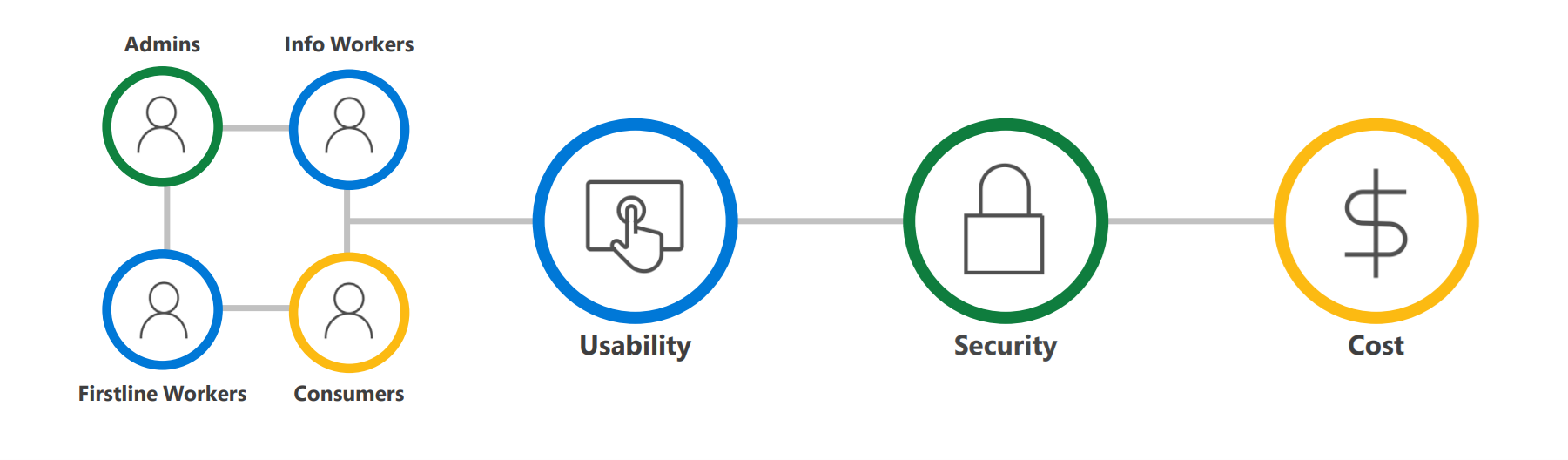
10 reasons to love passwordless
This year, my colleagues also created a series of blog posts 10 reasons to love passwordless, which expands on many of the concepts in the whitepaper.
- FIDO2-based credentials developed and adopted by the industry.
- Compliance with the National Institute of Standards and Technology (NIST) Authenticator Assurance Levels 2 and 3 (AAL2 and AAL3).
- Biometric authentication stored locally to uniquely and securely identify users.
- Faster sign-ins with Windows Hello built into your PC.
- Portable security keys in a variety of form factors that work across platforms.
- Helpdesk savings from password reset requests.
- Convenient sign-ins with Microsoft Authenticator app on your smartphone.
- Phishing-resistant credentials that reduce risk of compromise by over 99.9 percent.
- Easy setup and recovery of passwordless credentials with Temporary Access Pass.
- No passwords needed for users to be productive and secure.
2. Planning your passwordless deployment
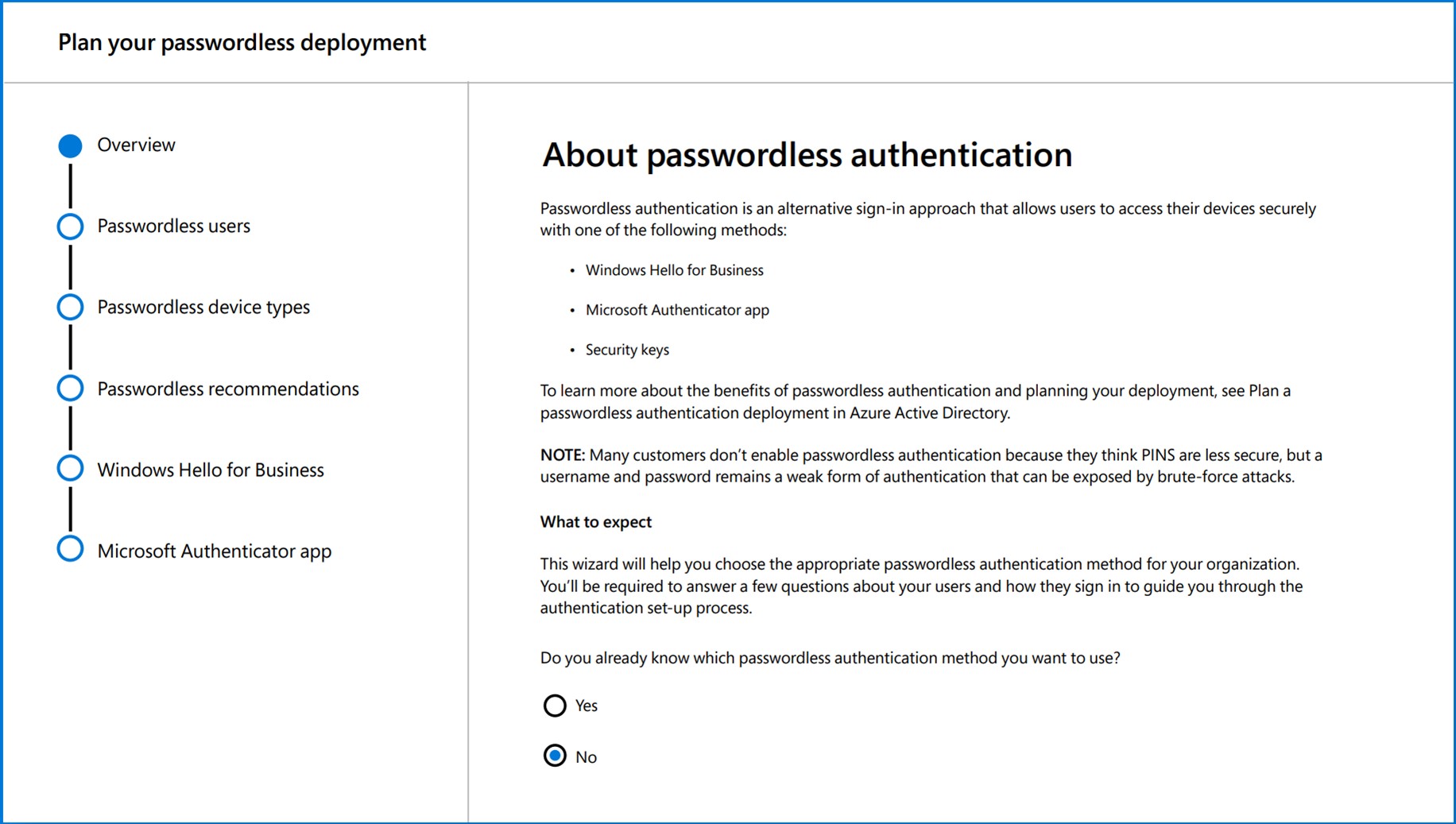
Check out the passwordless authentication deployment guide, which goes in-depth into how to plan the project, deploy different methods, and manage policies for passwordless authentication based on what we’ve learned from thousands of implementations with customers. Use the passwordless recommendations tool in the Microsoft admin console to help you choose the right method for each of your audiences.
You can also get a hands-on tour of passwordless capabilities in Microsoft Azure Active Directory from the video Microsoft Mechanics with Joy Chik, Corporate Vice President, Identity and Network Access, and host Jeremy Chapman.

3. Learning from experts
Data is useful, but sometimes you want to hear from people with experience. Watch the Your Passwordless Future Starts Now digital event on-demand, where you’ll learn more about passwordless authentication and best practices for adopting an organization-wide passwordless strategy.
You’ll learn how to:
- Reduce your security risk. Alex Simons, Corporate Vice President, Identity Program Management, Alex Weinert, Director of Identity Security, and Pamela Dingle, Director of Identity Standards, will cover the challenges of passwords that customers have faced and the benefits of moving to passwordless technologies. Passwordless methods like biometrics make it much simpler for people to sign in—and much harder for attackers to implement a successful phishing campaign. Developers also have a role in reducing the risk of passwords, which is why Mike Hanley, the Chief Security Officer at GitHub, will share how they’ve adopted passwordless for app development.
- Deploy to your organization. If organization-wide passwordless authentication sounds too good to be true, you’ll want to hear from Mark Russinovich, Azure Chief Technology Officer, and Bret Arsenault, Microsoft Chief Security Officer. In this joint session, they will talk about lessons learned from adopting a passwordless strategy at Microsoft and testing the limits on how far passwordless can extend into your hybrid environment.
- Help make it a smooth transition for users. Transitioning to a passwordless organization isn’t just about the right technology, it’s also about getting people to adopt something new. Charles Duhigg, New York Times bestselling author of The Power of Habit and Smarter, Faster, Better will explain why humans have such a hard time getting passwords right—and why we should stop expecting them to. He will explain the psychology behind password habits and look at history for insights on how cybersecurity leaders can help people be more secure.
- Make the first step on your Zero Trust journey. You’ll also learn from the host of the event, Vasu Jakkal, Corporate Vice President, Security, Compliance, and Identity, on why passwordless is a necessary component of a Zero Trust security strategy, which starts with the premise that you must explicitly verify every access request. There are financial and human costs with cyberattacks, and she advises on the steps to take to fortify your digital security.
Learn more
For additional resources and the latest customer stories, visit the Microsoft passwordless web page.
To learn more about Microsoft Security solutions, visit our website. Bookmark the Security blog to keep up with our expert coverage on security matters. Also, follow us at @MSFTSecurity for the latest news and updates on cybersecurity.


