Since I published my last blog, Five identity priorities for 2020, COVID-19 has upended the way we work and socialize. Now that physical distancing has become essential to protect everyone’s health, more people than ever are going online to connect and get things done. As we all adjust to a new daily routine, the organizations we work for are turning to technology to help us collaborate and stay productive. In these challenging times, identity can make life simpler, both for people working from home and for IT administrators charged with keeping their environments secure.
In my previous blog, I advised connecting all applications and cloud resources to Azure Active Directory (Azure AD). If you’re like most organizations, your employees use a lot of apps, from popular software-as-a-service (SaaS) apps—including collaboration services like Zoom, Cisco Webex, Workplace from Facebook, or Box—to legacy web and on-premises applications. Making Azure AD the control plane across all your apps helps ensure your employees working from home have secure, seamless access to the tools and resources they need, while protecting those tools and resources from unauthorized access.
Making it easy for remote workers to access the apps they need
When you connect your apps to Azure AD, your employees only need to sign in once to access them, and they only need one set of credentials. To make on-premises web apps available without a cumbersome VPN, you can use Azure AD Application Proxy, while tools from our secure hybrid access partners like can provide access to. To get productive from wherever they are, your employees simply go to the My App Portal, where they can find all the apps they have your permission to use.
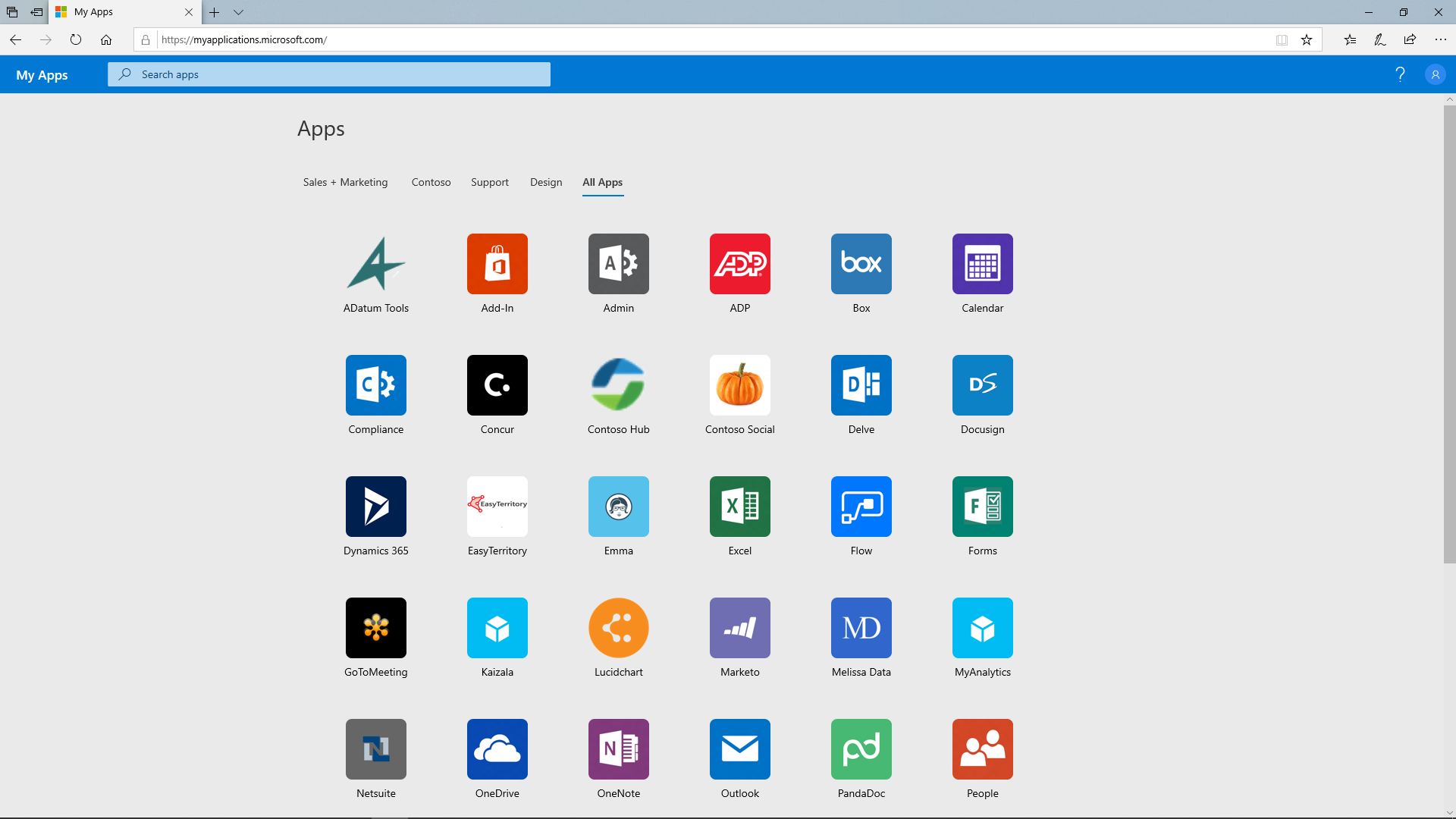
Figure 1: Users can sign in once and access all the apps they need in a central place, the My Apps portal.
Enabling consistent, strong security across all your apps
With Azure AD, enabling productivity doesn’t shortchange security. Once you’ve connected your apps to Azure AD, you can apply custom security policies across your entire digital estate. Since even complex passwords get stolen, we recommend enforcing multi-factor authentication (MFA) for all accounts and applying Conditional Access policies for adaptive granular access controls. For example, when a user signs in, policies can determine whether to allow, limit, or block access based on their location, whether their device is compliant, and which app they’re trying to access.
Additionally, Microsoft Intune App Protection Policies can provide application-level controls and compliance, while maintaining a great user experience on any device. Intune app configuration policies can help keep work data safe by controlling or stopping people from sharing work data outside of trusted apps assigned to them.
Increasing IT efficiency with self-service and automation
To reduce the burden on IT, Azure AD offers several tools to simplify management. Self-Service Password Reset lets users manage passwords on their own. Pre-integrated applications make it easy to enable single sign-on (SSO) with just a few clicks (Figure 2). Some companies, to help serve their communities. Automated provisioning of user accounts and apps makes onboarding significantly faster, so those new workers can get productive right away. For one customer, Mattress Firm, adding a new employee to their HR system automatically provisions their Azure AD user account and assigns them access to the appropriate applications within four hours.

Figure 2: Configure your apps for secure, seamless access with just a couple clicks.
Get free assistance connecting your apps to Azure AD
Many of our customers are moving rapidly to enable secure remote work during this current crisis, and we want to make sure you have everything you need. If you have subscriptions to Office 365 or Azure, you can use Azure AD to configure secure SSO for your 10 most critical apps for free and enable multi-factor authentication for all connected apps with Azure AD security defaults.* A license for Microsoft 365 gives you full access to Azure AD. For all our customers, we also offer complimentary deployment assistance through our FastTrack program.
As unprecedented numbers of people work remotely, the right tools, including Azure AD, can help keep them both protected and productive. Whatever your circumstances, we’re here to help. You can reach us via Twitter: @AzureAD.
Learn more
Learn how to use Azure AD to connect your workforce to all the apps they need from anywhere.
*This offer includes MFA via the Microsoft Authenticator app only.